
Why Maintenance Software for Operators is the Missing Link in Your 2026 Reliability Strategy
Feb 23, 2026
maintenance software for operators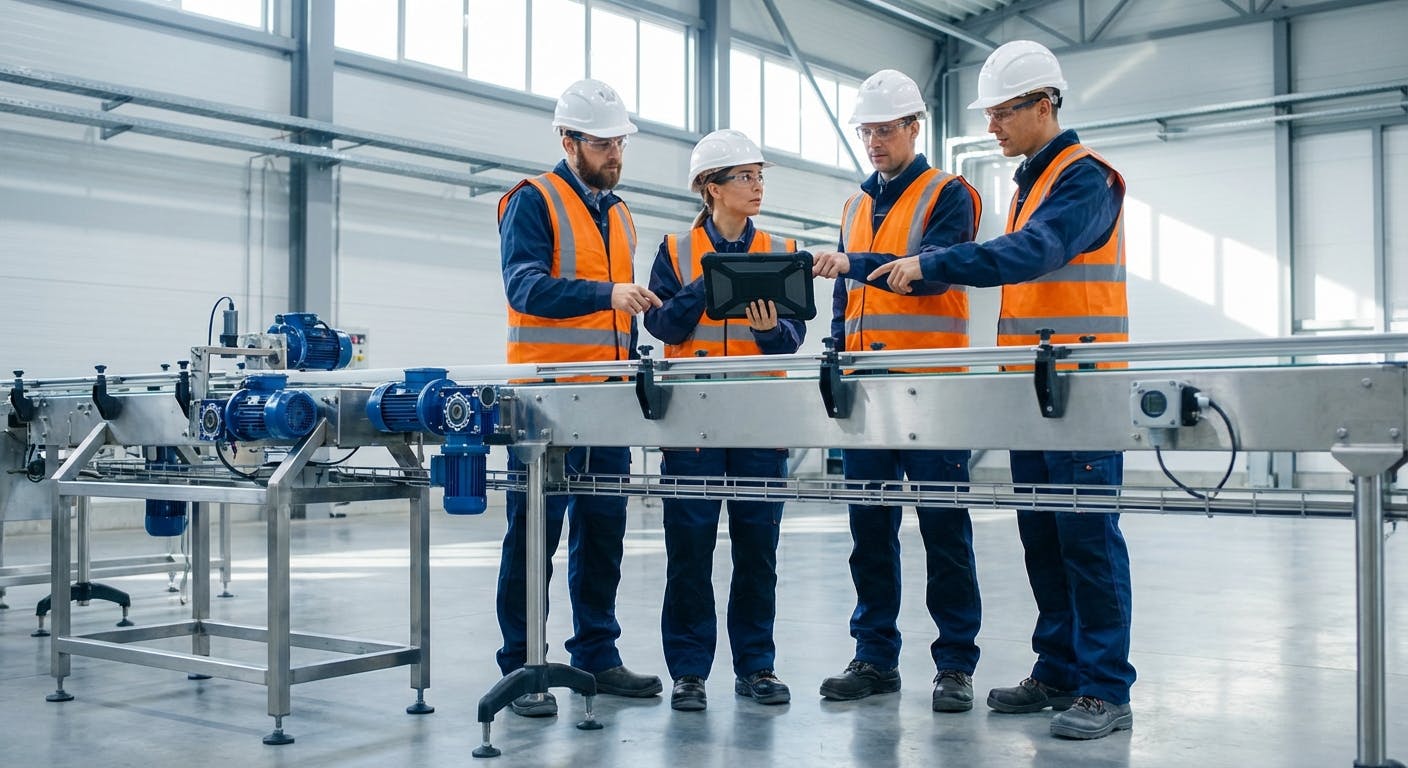
What is the core problem maintenance software for operators actually solves?
When a maintenance manager searches for "maintenance software for operators," they aren't looking for another complex CMMS (Computerized Maintenance Management System) to bury their team in work orders. They are looking for a way to break the "silo" between the people who run the machines and the people who fix them.
In the high-pressure manufacturing environment of 2026, the traditional model—where an operator runs a machine until it breaks and then "calls maintenance"—is a recipe for financial disaster. The core question being asked is: "How can I give my frontline production staff the digital tools they need to perform basic inspections, log anomalies, and take ownership of equipment health without needing a degree in mechanical engineering?"
The answer is a specialized category of software often called Operator Asset Care (OAC) or Autonomous Maintenance Software. Unlike a traditional CMMS, which is built for the "back office" and skilled technicians, maintenance software for operators is built for the "frontline." It prioritizes speed, visual communication, and mobile-first data entry. It solves the problem of "invisible" failures—those small leaks, odd vibrations, or temperature spikes that operators notice but never report because the paperwork is too cumbersome. By the time a technician sees the machine, it’s already in a reactive death spiral.
Furthermore, this software addresses the "Hidden Factory"—the undocumented work, workarounds, and micro-stops that occur every shift but never appear in official reports. When an operator has to kick a conveyor rail every twenty minutes to keep it aligned, that is a failure of the maintenance system. Operator-led software captures these "nuisance" issues before they evolve into catastrophic motor burnouts or structural failures.
How does this software actually work on a 24/7 shop floor?
To understand how this works in practice, imagine a high-speed bottling line. In a traditional setup, an operator might notice a slight "clunking" sound near a conveyor drive. They might mention it to a supervisor, or they might ignore it because they are focused on meeting their hourly quota.
With dedicated maintenance software for operators, the workflow changes completely:
- Digital Operator Rounds: Every shift begins with a 5-minute digital "check-in." The operator opens a ruggedized tablet or wearable device. The software presents a visual checklist of "Clean, Lubricate, Inspect" (CLI) tasks specific to that machine.
- Visual SOPs: If the operator isn't sure how to check the tension on a drive belt, they don't go looking for a manual. They tap the task, and a 10-second augmented reality (AR) video shows them exactly where to look and what "good" looks like.
- Anomaly Capture: When the operator hears that "clunking" sound, they take a photo or a 5-second audio clip through the app. The software uses edge-computing AI to categorize the sound and automatically flags it for the maintenance team.
- The Digital Shift Logbook: Instead of a grease-stained notebook, all observations are logged in a searchable, real-time database. This prevents the common issue where technicians don't trust maintenance data because the history is incomplete or illegible.
This approach turns every operator into a "sensor." While a vibration sensor can tell you a bearing is failing, an operator can tell you why—perhaps because a washdown procedure was performed incorrectly. This is why understanding the physics of post-sanitation breakdown is critical for operators to master through these digital tools.
Case Study: Reducing Hydraulic Failures at a Tier 1 Automotive Supplier
To see the impact of this workflow, consider a Tier 1 automotive stamping plant that struggled with hydraulic press reliability. Despite having a world-class CMMS, they suffered from frequent, unpredictable seal failures.
By implementing operator-led maintenance software, they discovered that operators were noticing "oil weeping" days before a seal would blow. However, because the weeping didn't stop production, it was never reported. The plant introduced a 2-minute "Visual Leak Inspection" at the start of every shift. Operators used the software to photograph the hydraulic rams. If the software's image recognition detected an increase in fluid residue compared to the "Master Image," it triggered an automatic low-priority work order.
Within six months, the plant saw a 42% reduction in emergency hydraulic repairs and saved an estimated $180,000 in lost hydraulic fluid and environmental cleanup costs. The operators felt more empowered because they were no longer "fighting the machine" to hit their numbers; they were managing a stable asset.
What are the common mistakes to avoid when rolling out operator-led software?
The most frequent mistake is treating the software as a "policing" tool rather than a "productivity" tool. If operators feel that the software is being used to track their every move or add 30 minutes of "extra work" to their shift, they will find ways to bypass it. This leads to a phenomenon known as "pencil whipping," where users check boxes without actually performing the inspections.
To avoid this, consider these three strategic pillars:
- The "3-Click" Rule: If an operator cannot report a problem or complete a check in three clicks or less, the software is too complex. In 2026, user interface (UI) design is a reliability requirement.
- Feedback Loops: The fastest way to kill an autonomous maintenance program is to have operators report issues that never get fixed. The software must provide a "closed-loop" notification. When a maintenance technician fixes a problem reported by an operator, the operator should receive a notification: "Thanks to your report, we replaced the bearing on Line 4 before it seized. You saved 4 hours of downtime."
- Focus on "Why," Not Just "What": Don't just ask operators to check oil levels. Use the software to explain that low oil leads to friction, which leads to heat, which leads to the chronic failure cycles they hate dealing with.
Troubleshooting Common Implementation Hurdles
Even with the best software, you will encounter friction. Here is how to troubleshoot the most common "Day 1" issues:
- "The Wi-Fi is Dead in Zone 4": If operators lose connectivity, they stop using the tool. Solution: Ensure your software has a "Store and Forward" capability. The data should be saved locally on the device and sync automatically when the operator walks back into a signal zone.
- "The Screen is Too Small for My Gloves": Industrial operators often wear PPE that makes standard touchscreens useless. Solution: Invest in "glove-friendly" ruggedized tablets or utilize voice-to-text features within the software for logging observations.
- "Data Overload for Maintenance": If operators start reporting every scratch on the paint, the maintenance team will be overwhelmed. Solution: Use a "Triage" layer in the software. Allow a lead operator or shift supervisor to review operator logs before they are converted into formal maintenance work orders.
According to the National Institute of Standards and Technology (NIST), manufacturing productivity is directly correlated with the democratization of data. When operators are "in the loop," the mean time to repair (MTTR) drops because the maintenance team arrives at the machine already knowing exactly what is wrong.
How do I get started without disrupting production?
You don't need to digitize your entire plant on day one. In fact, doing so is a recipe for chaos. The most successful implementations follow a "Pilot, Standardize, Scale" framework.
Phase 0: The Readiness Audit (Pre-Implementation) Before buying software, walk the floor. Are your machines clean enough to inspect? You cannot see a hairline crack or an oil leak if the machine is covered in six months of grease. Start by performing a "Deep Clean" event (often called a Kaizen) on your target pilot line.
Phase 1: The "Bad Actor" Pilot (Weeks 1-4) Identify one machine or line that is a constant source of frustration—a "bad actor." This is often a machine where preventive maintenance fails to prevent downtime. Deploy the operator software only to this line. Focus on capturing the "micro-stops" that maintenance usually ignores but that drive operators crazy.
Phase 2: Standardize the Workflow (Weeks 5-12) Analyze the data from the pilot. Did the operators actually use the tool? What were the friction points? Use this time to refine your digital checklists. Ensure that the "Operator Asset Care" tasks are integrated into the production schedule, not tacked on as an afterthought. Establish benchmarks during this phase: for example, an operator round should take no more than 4% of their total shift time.
Phase 3: Scale and Integrate (Month 4+) Once you have a "win" on the pilot line, use those operators as champions to train the rest of the plant. At this stage, you should integrate the operator software with your main CMMS and your PLC/SCADA systems. This creates a "Connected Worker" ecosystem where machine data and human observation live in the same space.
Decision Framework: CMMS vs. Operator Asset Care (OAC)
Many managers ask if they can just use their existing CMMS for operators. While possible, it is rarely successful. The following table highlights the critical differences:
| Feature | Traditional CMMS | Operator Asset Care (OAC) |
|---|---|---|
| Primary User | Maintenance Technicians / Planners | Production Operators / Line Leads |
| Data Entry | Detailed, text-heavy, technical | Visual, photo-based, "3-click" UI |
| Task Focus | Complex repairs, PMs, Spare Parts | CLI (Clean, Lubricate, Inspect), Anomaly Detection |
| Training Required | High (Days/Weeks) | Low (15-30 Minutes) |
| Core Goal | Asset Lifecycle Management | Daily Reliability & OEE Optimization |
| Offline Capability | Often limited | Mandatory for shop floor use |
What is the ROI of maintenance software for operators?
The return on investment (ROI) for operator-facing tools is often higher than for a traditional CMMS because it impacts the "Big Three" of manufacturing: OEE (Overall Equipment Effectiveness), Labor Costs, and Asset Life.
- OEE Improvement: By catching "incipient failures" (failures that are just beginning), you can move from unplanned downtime to planned, short-duration stops. A 1% increase in OEE for a high-volume food processing plant can equate to hundreds of thousands of dollars in annual revenue.
- Labor Optimization: Maintenance technicians are expensive and hard to find. If your highly skilled mechanics are spending 20% of their time doing simple tasks like lubricating chains or cleaning filters, you are wasting money. Maintenance software for operators allows you to shift those low-skill/high-frequency tasks to the production team, freeing up your technicians for root cause analysis and precision maintenance.
- Reduced Secondary Damage: When a bearing fails, it rarely fails alone. It creates heat that ruins seals, vibration that loosens fasteners, and load imbalances that destroy motors. By empowering operators to spot the initial bearing noise, you prevent the "domino effect" of asset destruction.
Specific Benchmarks for Success
When calculating ROI, look for these specific thresholds in your data after 12 months of use:
- Emergency Work Orders: Should drop by 20-30%.
- Mean Time Between Failures (MTBF): Should increase by at least 15%.
- Operator Engagement: At least 90% of assigned CLI tasks should be completed within the shift window.
- Cost of Spare Parts: Should decrease by 10-15% as "catastrophic" failures (which require replacing entire assemblies) are replaced by "component" failures (replacing a single belt or seal).
Industry benchmarks from ReliabilityWeb suggest that plants with mature autonomous maintenance programs see a 25-35% reduction in total maintenance costs within the first 24 months.
What if my situation is different (e.g., high-turnover or low-skill workforce)?
A common objection is: "My operators are constantly changing, or they don't have the technical skills to do maintenance."
In reality, this is the strongest argument for using maintenance software for operators. In a high-turnover environment, the "tribal knowledge" of how a machine runs leaves the building every time someone quits. The software acts as a permanent repository for that knowledge.
- For Low-Skill Workers: Use "Visual Inspection" tasks. Instead of asking for a measurement, show two pictures: "Picture A (Good)" and "Picture B (Bad)." Ask the operator to pick which one matches the machine.
- For High-Turnover Teams: The software becomes the training manual. A new hire can be productive on day two because the software guides them through their rounds step-by-step, with built-in validation (e.g., they must take a photo of the grease point to prove it was inspected).
- For Language Barriers: Modern 2026 platforms offer real-time translation. An operator can record a voice note in Spanish, and the maintenance planner receives it as a translated text alert in English.
This level of support helps diagnose why operators ignore maintenance alerts—often, it's not because they don't care, but because they don't understand what the system is asking of them.
How do I know if the software is actually working?
You cannot manage what you do not measure. To track the success of your operator maintenance initiative, look at these four "Leading Indicators":
- Operator-Initiated Work Requests: In a healthy plant, 30-40% of all work orders should originate from operators. If this number is near zero, your operators aren't "seeing" the problems, or they don't trust the system.
- CLI Compliance: Are the "Clean, Lubricate, Inspect" tasks being done on time? If compliance is low, check if the production schedule is allowing enough time for these tasks.
- The "Find-to-Fix" Ratio: How many of the anomalies reported by operators actually turn into valid work orders? A high ratio (over 80%) indicates that your operators are well-trained and reporting meaningful issues.
- MTBF (Mean Time Between Failures) Trends: As operators take over basic care, your MTBF should steadily increase. You are essentially "cleaning up" the chronic, nagging issues that lead to peak production failures.
What are the technical edge cases to consider?
Not all environments are "tablet-friendly." If you operate in a washdown environment, a standard iPad will last about a week.
- The Physics of Failure in Harsh Zones: In food processing, you must consider why washdown environments destroy bearings and electronics alike. Your operator software must be paired with IP69K-rated hardware or specialized enclosures.
- Connectivity Gaps: Many industrial plants are essentially "Faraday cages" where Wi-Fi signals go to die. Ensure your software has a robust "Offline First" mode. Operators should be able to complete their entire round and sync the data once they return to a Wi-Fi zone.
- Intrinsically Safe Requirements: If you are in oil and gas or chemical processing, your operator devices must be "Intrinsically Safe" (Class 1, Div 1) to prevent sparks in explosive atmospheres.
- Legacy Equipment (The "No-Sensor" Scenario): Many plants run machines from the 1990s that have no digital output. In these cases, the operator is the PLC. The software should allow operators to manually input gauge readings (e.g., "Pressure is at 45 PSI") and trigger alerts if those manual inputs fall outside of a pre-defined range.
Summary: The Shift from "Fixers" to "Keepers"
In 2026, the competitive advantage in manufacturing doesn't come from having the fastest machines; it comes from having the most reliable ones. Maintenance software for operators is the bridge that turns your production staff from "machine users" into "asset keepers."
By decentralizing data collection and democratizing basic maintenance tasks, you solve the maintenance paradox where machines often fail shortly after being "serviced" by overstretched technicians. Instead, you create a culture of continuous, incremental care that keeps your facility running at peak performance.
The transition isn't just about software—it's about trust. When you give an operator a tool that makes their job easier and their machine more reliable, you aren't just buying a subscription; you're building a more resilient organization. This cultural shift, supported by the right digital infrastructure, is what separates the industry leaders from those still stuck in the reactive cycle of the past century.
