
UID: The "Data Backbone" That Unlocks Industrial AI and Predictive Maintenance
Feb 13, 2026
uid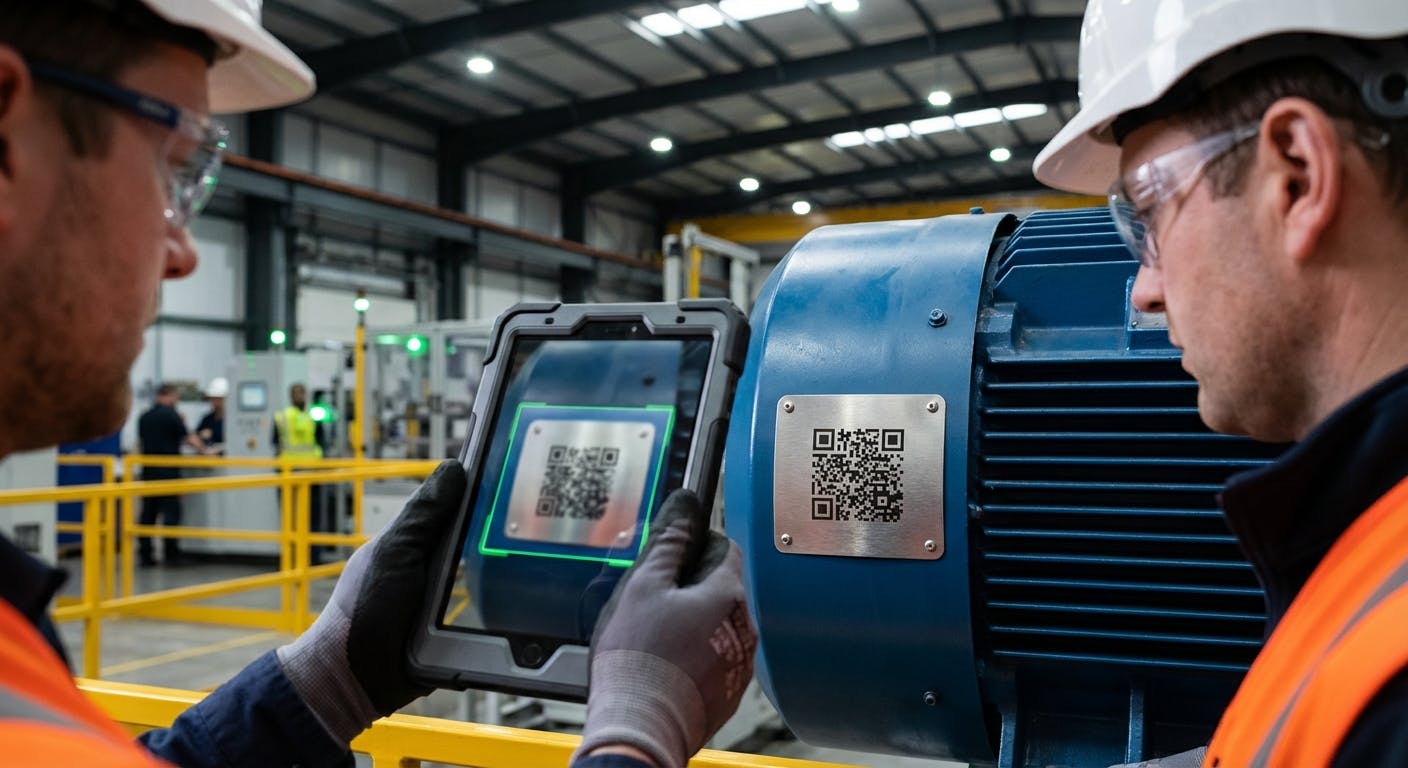
If you type "UID" into a search engine, you might get results about Linux permissions or social security numbers. But if you are managing a facility, a fleet, or a manufacturing plant, you are looking for something entirely different. You are looking for the solution to a chaotic asset register.
In the context of industrial reliability and Enterprise Asset Management (EAM), UID stands for Unique Item Identification.
It is not just a serial number. It is not just a barcode sticker. In 2026, the UID is the fundamental "primary key" that connects the physical reality of your shop floor to the digital intelligence of your CMMS and AI platforms. Without a robust UID strategy, your expensive predictive maintenance software is blind, and your historical data is corrupted.
This guide moves beyond the basics of "what is a tag" to answer the critical questions maintenance leaders ask when trying to build a data infrastructure capable of supporting AI.
What is a UID and Why is it the "Data Backbone"?
At its core, a UID is a system of distinguishing one specific instance of an item from all other items—even those that are identical in make and model.
The Core Distinction: Part Number vs. UID
- Part Number (SKU/GTIN): Identifies a class of products. You have fifty 100HP Siemens motors. They all share the same Part Number.
- UID (Serialization): Identifies the specific motor driving Conveyor Belt 4. It tracks that specific motor’s birth, life, repairs, and death.
The "Primary Key" Concept
Think of your maintenance operation as a massive database. Every database needs a "primary key"—a unique value that never changes and never duplicates.
- If you rely on asset names (e.g., "Main Pump"), what happens when you move that pump to the backup line? The history gets lost or attributed to the wrong location.
- If you rely on OEM serial numbers, what happens when two different manufacturers happen to use "SN-001"? You get data collisions.
A standardized UID system assigns a globally unique string to the asset. This string links the physical asset to its "Digital Twin" in your software. When you scan that UID, you aren't just seeing a name; you are unlocking the asset's entire medical history.
Why This Matters for AI
We are in the era of AI Predictive Maintenance. AI models require clean, continuous time-series data to detect anomalies.
If you swap a motor but don't update the UID association in your system, the AI will see the vibration data of the new motor, think it belongs to the old motor, and likely generate a false positive or miss a critical failure. The UID is the thread that keeps the data narrative intact.
How Should We Structure Our UID System? (Naming Conventions vs. Randomization)
Once you decide to implement UIDs, the immediate follow-up question is: What should the ID actually look like?
For decades, maintenance managers fought a war between Intelligent IDs and Non-Intelligent IDs.
The Old Way: Intelligent IDs
An "Intelligent" ID tries to describe the asset within the ID string itself.
- Example:
HVAC-BLDG1-RTU-04(HVAC unit, Building 1, Roof Top Unit, Number 4). - The Problem: What happens when you move that RTU to Building 2? You have to re-tag it (changing the ID), which breaks the link to its historical data. Or, you leave the tag, and now you have an asset labeled "BLDG1" sitting on the roof of Building 2, confusing every technician who sees it.
The Modern Standard (2026): Non-Intelligent (Random) UIDs
In modern Asset Management, the best practice is to use a Non-Intelligent UID for the asset itself, while using metadata to handle location and hierarchy.
- The UID:
A-839204(A random, unique alphanumeric string). - The Database: The CMMS links
A-839204to "Building 1." When you move the asset, you update the location field in the software, but the physical UID tag remains the same.
The Hybrid Approach (The Best of Both Worlds) Many facilities use a two-tag system:
- Functional Location ID (The "Parking Spot"): An Intelligent ID tag placed on the location (e.g., the concrete pad where the pump sits). This ID (
PUMP-STN-01) tells the technician where they are. - Asset UID (The "Car"): A Non-Intelligent ID tag placed on the machine itself. This ID (
UID-998877) travels with the machine wherever it goes.
This separation allows you to track the history of the location (system performance) separately from the history of the asset (mechanical health).
Hardware: Barcodes, QR, Data Matrix, or RFID?
You have the data structure defined. Now, how do you physically attach this UID to a machine that vibrates, gets hot, and is washed down with caustic chemicals?
The choice of data carrier (the tag) dictates the efficiency of your Mobile CMMS workflow.
1. Linear Barcodes (1D)
- Pros: Cheap, universally readable.
- Cons: Low data density. If the bar gets scratched or covered in grease, it becomes unreadable.
- Verdict: Obsolete for heavy industrial environments in 2026.
2. QR Codes
- Pros: Fast scanning with any smartphone or tablet. Can encode URLs to deep-link directly to a work order.
- Cons: Requires decent lighting. Can be damaged by abrasion.
- Verdict: Excellent for facility management and light manufacturing.
3. Data Matrix Codes (The Industrial Standard)
- Pros: Extremely high redundancy. You can drill a hole through the middle of a Data Matrix code, and it will often still scan. They can be etched directly into metal (Direct Part Marking - DPM).
- Cons: Requires higher-resolution cameras (standard on 2026 devices).
- Verdict: The gold standard for heavy machinery, aerospace, and defense (compliant with MIL-STD-130).
4. RFID (Radio Frequency Identification)
- Pros: Non-line-of-sight scanning. You can walk into a room and inventory 50 assets instantly without seeing the tags. Excellent for dirty environments where tags get painted over.
- Cons: Higher cost per tag. Requires specialized readers or industrial tablets. Metal interference can be an issue without proper standoff tags.
- Verdict: Essential for high-volume Inventory Management and assets located in hazardous or hard-to-reach areas.
Decision Framework:
- If the asset is accessible and the environment is clean: QR Code.
- If the asset is greasy, hot, or outdoors: Laser-etched Data Matrix (Stainless Steel plate).
- If the asset is behind a panel or high overhead: UHF RFID.
Implementation: How Do We Roll This Out Without Shutting Down?
A common paralysis point is the sheer volume of assets. "We have 5,000 assets. We can't tag them all."
You don't need to. You need a phased implementation strategy based on criticality.
Phase 1: Criticality A Assets (The "Money Makers")
Start with the 10-20% of assets that cause 80% of your downtime. These are usually the assets monitored by Prescriptive Maintenance systems.
- Action: Apply durable Data Matrix or RFID tags.
- Data: Validate the OEM serial number, install date, and initial baseline vibration readings.
Phase 2: The "Rotables" (Spare Parts)
UIDs are critical for rotable spares—expensive motors, gearboxes, or pumps that are repaired and returned to stock rather than discarded.
- Workflow: When a motor is pulled for refurbishment, it must have a UID. This allows you to track if a specific motor is failing every 6 months regardless of where it is installed (indicating a defect in the motor), or if any motor installed in Location X fails every 6 months (indicating a defect in the foundation or alignment).
Phase 3: Run-to-Failure Assets
Don't waste expensive RFID tags on lightbulbs or disposable bathroom fans. Use batch tracking or simple bin labels for these.
The "Opportunity Tagging" Strategy
Don't launch a massive "tagging project." Instead, integrate tagging into your PM Procedures.
- Add a step to every PM Work Order: "Is this asset tagged? If no, attach tag and scan to register."
- Over the course of 6-12 months, you will naturally tag every active asset in your facility without a massive upfront labor spike.
Troubleshooting: Why Do UID Projects Fail?
Even with the best intentions, UID implementations often degrade into chaos. Here are the three most common failure modes and how to prevent them.
1. The "Ghost Asset" Phenomenon
- Symptom: The system says you have 5 spare motors, but you can only find 3.
- Cause: Technicians are swapping assets without scanning the UID to update the location.
- Fix: Enforce "Scan-to-Work." Configure your Work Order Software so that a technician cannot close a work order or check out a part without scanning the UID. Make the physical scan a mandatory digital gate.
2. Tag Degradation
- Symptom: Tags fall off, fade, or get painted over.
- Cause: Using office-grade stickers in an industrial environment.
- Fix: Use the "Thumb Test." If you can peel the tag off with your thumb, it's not an industrial UID. Invest in 3M adhesives, rivets, or stainless steel cable ties. For high-heat areas (like Predictive Maintenance for Compressors), use ceramic or metal tags.
3. Data Silos
- Symptom: Purchasing uses one ID, Maintenance uses another, and Engineering uses a third.
- Cause: Lack of integration.
- Fix: The UID must be the single source of truth across all systems. Use API Integrations to ensure that when a UID is updated in the CMMS, it reflects in the ERP and the Procurement system.
The ROI: Is It Worth the Effort?
Implementing a UID system requires upfront material costs and labor. How do you justify this to leadership?
1. Wrench Time Improvement
Studies consistently show that technicians spend 15-25% of their day just looking for the right parts or the right asset.
- With UID: A technician walks up, scans the tag, and instantly sees the correct manual, lockout/tagout procedure, and spare parts list.
- Value: Regaining 30 minutes per technician per day adds up to thousands of hours of productivity annually.
2. Warranty Recovery
Without UIDs, warranty claims are a guessing game.
- Scenario: A $5,000 pump fails. Was it installed 11 months ago (under warranty) or 13 months ago (expired)? Without a UID tracking that specific serialized asset, you likely eat the cost.
- Value: Recovering warranty costs on just a few major assets often pays for the entire tagging system.
3. Data Integrity for AI
This is the long-term play. You cannot use Manufacturing AI Software effectively on bad data.
- Value: The ROI of AI is preventing catastrophic failure. The UID is the entry ticket to that ROI. If your data is clean, your predictions are accurate. If your data is messy, your AI is guessing.
Advanced UID: The Future of Asset Identity
As we look toward the latter half of the 2020s, the UID is evolving from a passive identifier to an active data node.
The "Connected" UID
Newer tags are not just passive barcodes; they are active IoT sensors. A Bluetooth Low Energy (BLE) beacon can serve as a UID while simultaneously broadcasting temperature and vibration data. This merges the concept of "Identity" with "Condition."
Blockchain and Provenance
For critical industries (aerospace, pharma, food processing), UIDs are being linked to private blockchains. This creates an immutable record of every hand that touched the asset, every repair performed, and every part swapped. This ensures compliance with rigorous standards like FDA 21 CFR Part 11 or AS9100.
Augmented Reality (AR) Overlays
When a technician wearing smart glasses looks at a UID, the system can overlay real-time telemetry data on top of the machine. They don't just see "Pump 01"; they see a floating green graphic showing "Vibration: 0.15 IPS" and "Temp: 140°F." This is only possible if the UID accurately anchors the digital data to the physical space.
Conclusion: Start With the Identity
You cannot manage what you cannot measure, and you cannot measure what you cannot identify.
The UID is the humble hero of the industrial world. It doesn't get the glory of a robotic arm or a generative AI dashboard, but it is the foundation upon which those technologies rest.
If you are struggling with inventory accuracy, if your predictive maintenance alerts are unreliable, or if your technicians are spending too much time searching for information, the problem likely isn't your people—it's your identification strategy.
Ready to clean up your asset data? Start by auditing your critical assets. Do they have unique IDs? Are those IDs linked to a digital history? If not, grab a tag, open your Equipment Maintenance Software, and create the first link in your new digital chain.
