
Asset Management Software for Manufacturing: Turning Maintenance into a Production Engine
Feb 1, 2026
asset management software for manufacturing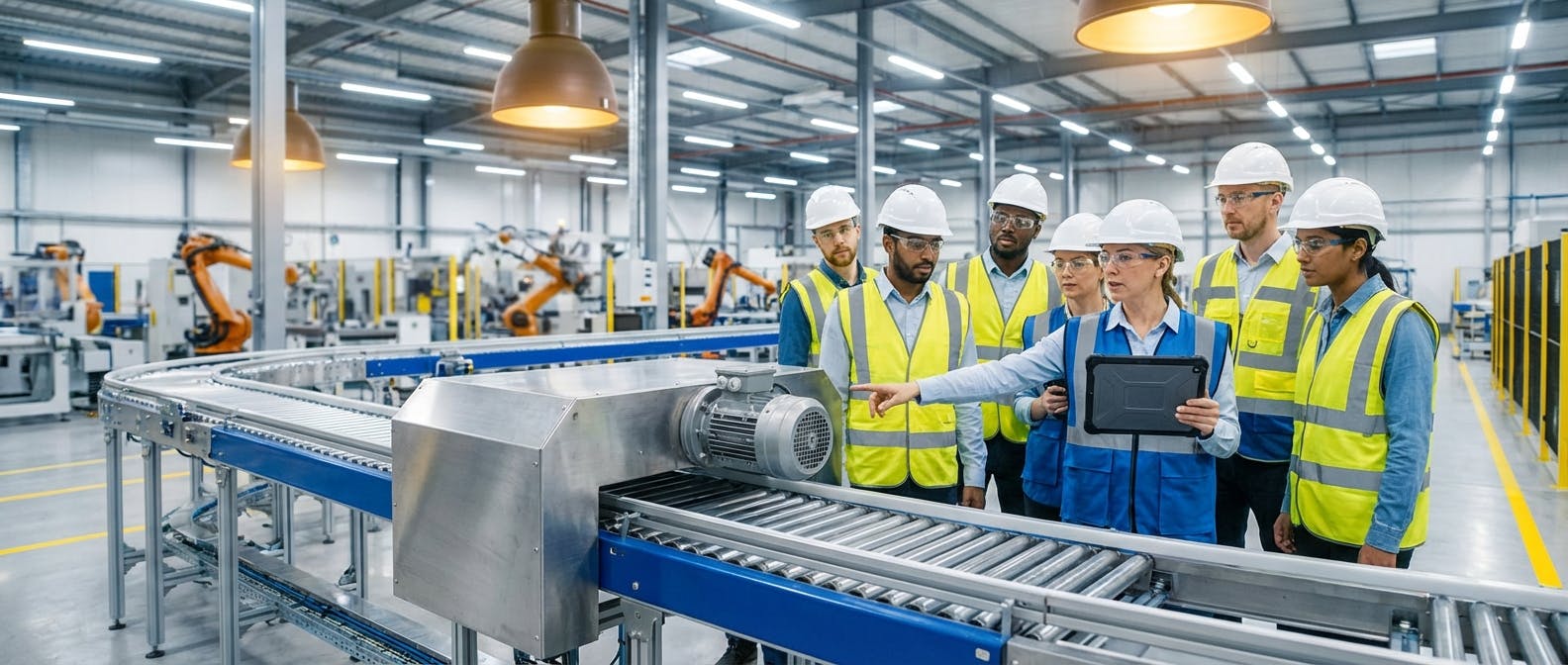
For decades, the core question driving the purchase of asset management software was simple: "How do we organize our work orders?"
In 2026, that question is obsolete. If you are a plant manager or a reliability engineer, asking how to organize paperwork is setting the bar too low. The question you should be asking—the one that separates top-tier manufacturers from those struggling with margins—is this:
"How do I use software to synchronize asset health with production goals to maximize Overall Equipment Effectiveness (OEE)?"
This shift in perspective changes everything. It moves you away from "Maintenance-First" software (which focuses on making the mechanic’s job easier) toward "Production-First" software (which focuses on keeping the machine running at peak performance).
This guide explores the commercial landscape of asset management software for manufacturing through this lens. We will move beyond basic CMMS functionality to explore how modern platforms serve as the central nervous system of your production floor.
The Core Conflict: Maintenance-First vs. Production-First Software
To understand what software you need, you must first identify the problem you are solving.
Most legacy Computerized Maintenance Management Systems (CMMS) were designed as digital filing cabinets. They excel at logging what happened after a machine broke. They track hours, parts, and costs. While necessary, this is reactive. It treats maintenance as a cost center—a necessary evil that interrupts production.
Production-First Asset Management flips the script. It integrates directly with the shop floor reality. It doesn't just ask, "Is the machine broken?" It asks, "Is the machine producing quality parts at the expected speed?"
The "OEE Engine" Philosophy
Your asset management software should be an OEE engine. OEE (Overall Equipment Effectiveness) is the gold standard for manufacturing productivity, calculated by multiplying Availability × Performance × Quality.
- Availability: Does the software predict failure before it stops the line?
- Performance: Does the software detect micro-stoppages or speed losses caused by degrading assets (e.g., a vibrating motor)?
- Quality: Does the software correlate asset health (like temperature spikes) with product defects?
If your current evaluation criteria only cover work order generation and inventory logging, you are missing 60% of the value.
Follow-Up Question: "How does this actually work in practice?"
You might be thinking, "That sounds great conceptually, but what does the workflow look like on a Tuesday morning?"
In a Production-First environment, the software acts as a bridge between the machine's data and the human's action. Here is how the workflow differs from traditional methods.
1. The Trigger: Condition-Based, Not Calendar-Based
In a traditional setup, you might service a conveyor belt every 500 hours. This is inefficient. You are either over-maintaining (wasting money) or under-maintaining (risking failure).
Modern asset management features utilize condition-based monitoring. Sensors track vibration, temperature, and amperage.
- Scenario: A bearing on an overhead conveyor shows a 15% increase in vibration trend over 48 hours.
- The Software Action: The system analyzes this against historical failure profiles. It determines that failure is not imminent but will occur within 10 days.
2. The Decision: Prescriptive Analytics
The software doesn't just flag an alert; it prescribes a solution. It checks the production schedule.
- The Insight: "Production run A-7 ends on Thursday at 4:00 PM. There is a 4-hour changeover window."
- The Action: The software automatically schedules the bearing replacement for that specific window, ensuring zero unplanned downtime.
3. The Execution: Augmented Workflows
When the technician arrives, they aren't guessing. The work order on their mobile device includes:
- The exact location of the bearing.
- The required lockout/tagout (LOTO) procedures.
- A checklist of tools needed (so they don't walk back to the crib).
- Crucially: The specific torque specs for installation.
This is the essence of prescriptive maintenance. It removes the guesswork and aligns the repair with the production schedule.
Follow-Up Question: "What specific features drive this 'Production-First' approach?"
When evaluating vendors, ignore the generic feature lists. Everyone has "work orders" and "reporting." Look for these specific capabilities that drive manufacturing performance.
1. Native IIoT Integration (The Data Pipeline)
You cannot manage what you cannot measure in real-time. The software must ingest data directly from PLCs, SCADA systems, or wireless sensors.
- The Requirement: Look for "sensor-agnostic" platforms. You don't want to be locked into proprietary hardware. The software should visualize data from your existing Rockwell, Siemens, or Bosch controllers alongside data from retrofitted vibration sensors.
2. AI-Driven Predictive Models
Data without context is noise. You need AI predictive maintenance capabilities that learn your specific machines.
- The Benchmark: The AI should be able to distinguish between a "normal" spike (e.g., machine startup) and an "abnormal" spike (e.g., cavitation in a pump). If the software triggers an alarm every time a machine turns on, your team will ignore it (alarm fatigue).
3. Integrated MRO Inventory Management
Nothing kills OEE faster than waiting for a part.
- The Feature: Your inventory management module must be linked to asset criticality.
- How it works: If a critical motor has a lead time of 6 weeks, and the predictive model shows a 3-month remaining useful life (RUL), the software should automatically trigger a purchase requisition now, not when the motor fails.
4. Mobile-First for the Floor
The days of the maintenance office are numbered. Technicians should be on the floor.
- The Requirement: A mobile CMMS interface that works offline. Many manufacturing plants have WiFi dead zones. If the app crashes when the signal drops, it’s useless. It must cache data and sync when connectivity is restored.
Follow-Up Question: "How do I implement this without disrupting the shop floor?"
Implementation paralysis is the number one reason asset management projects fail. You cannot shut down the plant to install software.
Phase 1: The Asset Audit (Clean Your Data)
Garbage in, garbage out. Before you import data into new software, you must standardize your naming conventions.
- Bad: "Pump 1", "Water Pump", "P-101".
- Good: "PUMP-CENT-01" (Category-Type-ID).
- Tip: Use the ISO 14224 standard for collection and exchange of reliability and maintenance data for equipment. This provides a universal hierarchy for your assets.
Phase 2: Criticality Analysis
Do not try to connect every machine to the IIoT on day one. Use a Risk Priority Number (RPN) approach.
- High Criticality: Assets that stop production immediately if they fail (e.g., the main paint booth fan). These get real-time sensors and predictive models immediately.
- Low Criticality: Assets that have redundancy or don't impact safety/production (e.g., a bathroom exhaust fan). These can remain on run-to-failure or simple preventive schedules.
Phase 3: The "Pilot" Cell
Choose one production line or cell. Implement the full stack there: sensors, software, tablets, and training. Prove the ROI on that single cell before rolling it out plant-wide. This builds buy-in from the operators who see the reduction in emergency repairs.
Follow-Up Question: "What is the ROI? How do I justify the cost?"
CFOs do not care about "user-friendly interfaces." They care about Return on Invested Capital (ROIC) and Net Operating Profit After Tax (NOPAT). You must speak their language.
The Cost of Downtime Calculation
To justify the investment, you need to calculate your true cost of downtime.
- Formula: (Lost Units per Hour × Profit per Unit) + (Labor Cost per Hour) + (Overhead Cost per Hour).
- Example: An automotive supplier produces 60 parts/hour at $50 profit/part. Labor/Overhead is $2,000/hour.
- One hour of downtime = (60 * $50) + $2,000 = $5,000.
- If the software prevents just one 8-hour shift of downtime per year, it saves $40,000.
Reducing MRO Spend
Production-first software reduces "panic buying." When you rely on preventive maintenance procedures that are static, you often replace parts that are still good (wasting capital) or pay expedited shipping fees for parts that broke unexpectedly.
- Benchmark: Moving from reactive to predictive maintenance typically reduces MRO inventory costs by 15-20% because you only stock what you are predicted to need.
Extending Asset Lifecycle
If you can prove that better management extends the life of a $500,000 CNC machine by 2 years, the depreciation savings alone often pay for the software subscription for a decade.
For a deeper dive into the financial impact of reliability, resources like ReliabilityWeb offer excellent frameworks for calculating asset value.
Follow-Up Question: "What if I have legacy equipment?"
This is the most common objection: "My machines were built in 1985. They don't have Bluetooth."
This is actually where asset management software shines the brightest. You do not need to replace the machine; you need to "wrap" it.
The Retrofit Strategy
You can digitize a 40-year-old motor without touching its internal controls.
- Vibration: Magnetic accelerometers attach to the casing.
- Current: Split-core current transformers clip around the power cable.
- Temperature: Infrared sensors point at the bearing housing.
These sensors feed data into your manufacturing AI software, effectively giving a voice to "dumb" iron.
Case Study: Conveyor Systems
Consider predictive maintenance for conveyors. A legacy conveyor system has hundreds of bearings. Manually checking them is impossible. By retrofitting wireless vibration sensors, the software creates a "heat map" of the conveyor, highlighting exactly which roller is about to seize. This turns a legacy asset into a smart system.
Follow-Up Question: "How do I choose between vendors?"
The market is crowded. You have the massive ERP extensions (SAP, Oracle), the modern CMMS startups (MaintainX, UpKeep), and the specialized industrial platforms.
The Decision Framework
-
The ERP Extension:
- Pros: Single database, IT loves it.
- Cons: Usually terrible mobile experience, clunky for technicians, lacks specialized predictive analytics.
- Verdict: Good for accounting, bad for the shop floor.
-
The "Lightweight" CMMS:
- Pros: Cheap, easy to use, great mobile app.
- Cons: Often lacks deep integration with PLCs/SCADA. Focuses on "ticketing" rather than "asset health."
- Verdict: Great for facilities management (HVAC, lights), but often struggles with heavy industrial manufacturing needs. (See our comparison on alternatives to MaintainX).
-
The Production-First Platform (EAM/APM):
- Pros: Built for OEE. Integrates PdM (Predictive Maintenance) and CMMS. Handles complex hierarchies.
- Cons: Higher initial setup effort.
- Verdict: The necessary choice for manufacturers serious about Industry 4.0.
The "Dealbreaker" Questions
Ask every vendor these three questions:
- "Can your system trigger a work order automatically based on a PLC tag value exceeding a threshold?"
- "Does your inventory module support multi-site parts sharing?"
- "How does your AI handle variable speed assets?" (Note: Many basic AI models fail when a machine changes speed, flagging it as a fault. You need sophisticated predictive maintenance for motors that understands variable frequency drives).
Follow-Up Question: "What are the common mistakes to avoid?"
Even with the best software, you can fail. Here are the pitfalls to watch for in 2026.
1. The "Data Dump"
Do not migrate 10 years of closed work orders into the new system unless that data is clean and categorized. It is usually better to archive the old data and start fresh with a clean baseline, importing only active assets and spare parts lists.
2. Ignoring the Operator
Operators know the machines better than anyone. If your software is only for the maintenance team, you lose.
- The Fix: Give operators "requester" access on tablets. Let them snap a photo of a leak and submit a request instantly. This is often called "Autonomous Maintenance" and is a pillar of TPM (Total Productive Maintenance).
3. Over-Alerting
Setting thresholds too tight results in hundreds of emails a day.
- The Fix: Use "deadbands" and time delays. A temperature spike must persist for >5 minutes to trigger an alert.
Conclusion: The Future is Prescriptive
The era of the digital logbook is over. As manufacturing margins tighten and skilled labor becomes scarcer, the software you choose must act as a force multiplier.
Asset management software for manufacturing in 2026 is about prescriptive intelligence. It is about a system that knows your compressors are losing efficiency before your energy bill spikes. It is about a system that knows your pumps are cavitating before the seal fails.
When you are ready to move from "fixing things faster" to "stopping things from breaking," you are ready for a Production-First approach.
Start by evaluating your current OEE. If you don't know it, or if it's below 85%, your current asset management strategy is likely the bottleneck.
Ready to see how a Production-First platform works? Explore our approach to equipment maintenance software and see the difference data makes.
