
Program Interface Definition: The Nervous System of Modern Manufacturing
Feb 13, 2026
program interface definition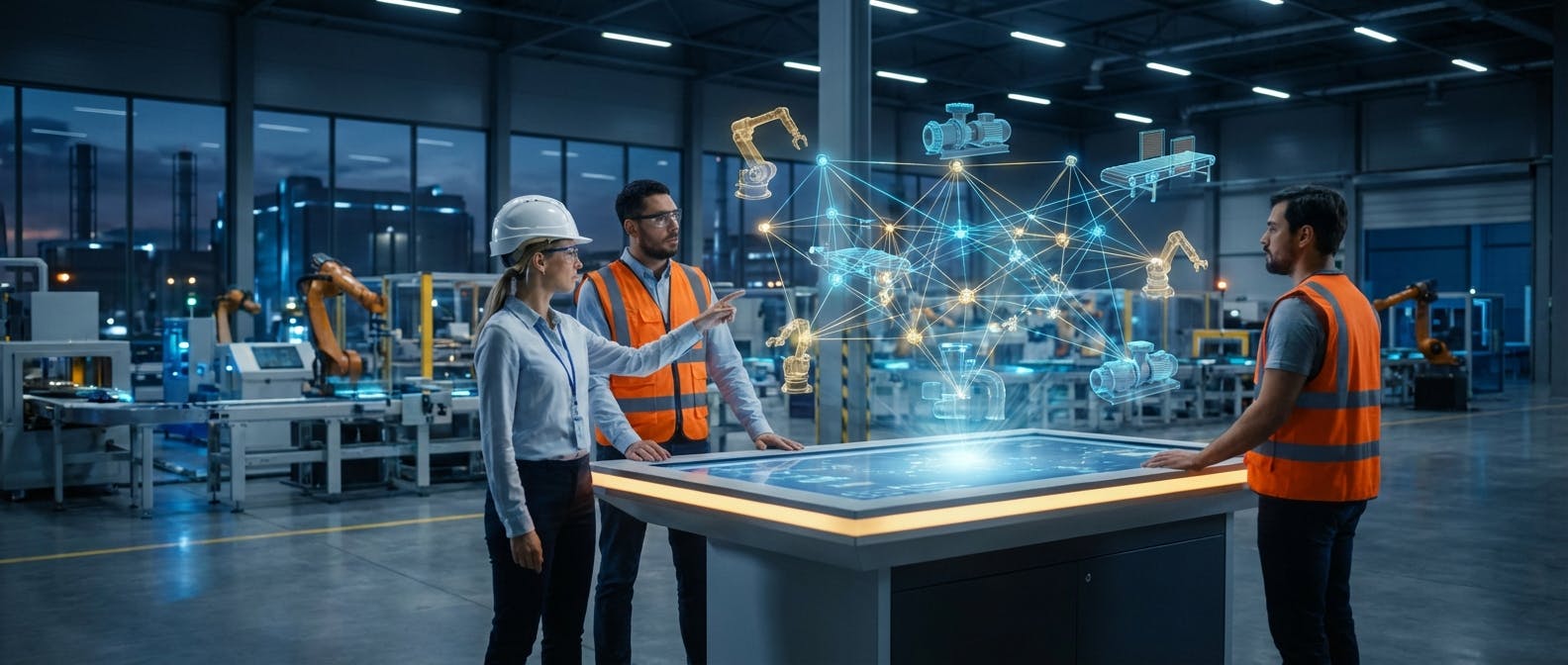
If you ask a software developer for a "program interface definition," they will likely give you the textbook answer: It is a set of routines, protocols, and tools for building software applications. They might use the analogy of a waiter in a restaurant, taking your order (the request) to the kitchen (the system) and bringing back your food (the response).
But if you are a maintenance manager, a plant engineer, or an operations director in 2026, that "waiter" analogy is insufficient. It’s too passive. It doesn't capture the criticality, speed, or complexity of the modern industrial environment.
In the context of Industry 4.0 and the Industrial Internet of Things (IIoT), a Program Interface (specifically an Application Programming Interface, or API) is not a waiter. It is the nervous system of your facility.
Just as the human nervous system transmits pain signals from a fingertip to the brain to trigger an immediate reaction, a program interface transmits critical fault data from a vibrating bearing directly to your maintenance software to trigger a work order. It is the invisible infrastructure that allows your Operational Technology (OT) to speak to your Information Technology (IT).
This guide goes beyond the dictionary definition. We will explore what program interfaces mean for asset reliability, how they bridge the gap between ERPs and CMMS, and why the difference between a RESTful API and a SOAP interface could determine the success of your digital transformation.
1. The Core Question: What is a Program Interface in an Industrial Context?
At its simplest level, a program interface is the boundary where two separate systems meet and communicate. In a manufacturing plant, these "systems" are rarely from the same vendor. You might have a Siemens PLC controlling a conveyor, a Rockwell Automation sensor monitoring vibration, an SAP ERP handling inventory, and a specialized CMMS software managing work orders.
Without program interfaces, these systems are islands. The PLC knows the machine is overheating, but the CMMS has no idea until a human operator walks by, sees a red light, and manually types a work request.
The Technical Definition vs. The Operational Reality
Technically, an interface defines the inputs a system accepts and the outputs it returns. It is a contract. The system says, "If you send me data in this specific format, I will perform this specific action."
Operationally, however, the program interface is the mechanism of automation.
- Without Interfaces: Data is moved by humans (spreadsheets, clipboards, manual entry). This is slow, error-prone, and reactive.
- With Interfaces: Data moves at the speed of light. A threshold breach in a SCADA system instantly updates an asset record in the cloud.
The "Nervous System" Metaphor
To understand the gravity of this definition, consider the "pain signal" workflow in a connected factory:
- Stimulus (The Issue): A motor on Line 4 begins drawing 15% more amperage than normal.
- Nerve Ending (The Sensor/PLC): The local controller detects this anomaly.
- Synapse (The Program Interface): The controller pushes this data packet via an API (Application Programming Interface) to the central maintenance system.
- The Brain (The CMMS/AI): The software analyzes the data against historical trends.
- Reflex Action (The Outcome): The system automatically generates a high-priority work order for a technician to inspect the windings, bypassing the need for manual scheduling.
When we define "program interface" in 2026, we are defining the architecture that makes prescriptive maintenance possible.
2. How Does This Actually Work in Practice? (Types of Interfaces)
Once you understand the concept, the next logical question is: "What does this look like on my shop floor?" You will encounter several specific types of interfaces. Understanding the difference is crucial when evaluating new software or equipment.
RESTful APIs: The Modern Standard
Representational State Transfer (REST) is currently the dominant architectural style for web APIs. If you are buying modern cloud-based software, it likely uses a REST API.
- How it works: It uses standard HTTP methods (GET, POST, PUT, DELETE). It’s like browsing the web, but for machines.
- The Payload: It typically exchanges data in JSON (JavaScript Object Notation), which is lightweight and easy for humans and machines to read.
- Use Case: Your mobile CMMS app pulling the latest inventory levels from the cloud server.
SOAP: The Legacy Heavyweight
Simple Object Access Protocol (SOAP) is an older standard, often found in legacy enterprise systems (like older versions of SAP or Oracle).
- How it works: It uses XML for messaging and is highly structured with strict rules.
- The Trade-off: It is more complex and "heavier" (requires more bandwidth) than REST, but it has built-in security and transaction compliance features that some banking and highly regulated industries prefer.
- Use Case: Complex financial transactions between an ERP and a procurement system where strict contract adherence is mandatory.
Webhooks: The "Don't Call Us, We'll Call You" Interface
Most APIs require you to "poll" them (ask repeatedly: "Do you have new data? Do you have new data?"). Webhooks invert this.
- How it works: You provide the system with a URL. When a specific event happens (e.g., a work order is closed), the system sends a message to that URL immediately.
- Use Case: Triggering a slack notification or an email to a facility manager the second a critical asset goes offline.
Industrial Specific Protocols (The OT Layer)
While REST and SOAP dominate the IT world (software), the OT world (machines) uses its own set of interfaces that must eventually translate to IT standards.
- OPC UA (Open Platform Communications Unified Architecture): The gold standard for industrial connectivity. It provides a platform-independent service-oriented architecture that integrates all the functionality of the individual OPC Classic specifications into one extensible framework.
- MQTT (Message Queuing Telemetry Transport): A lightweight messaging protocol for small sensors and mobile devices, ideal for high-latency or low-bandwidth networks.
3. The Integration Challenge: Why is "Connecting" So Hard?
If program interfaces are just "contracts" for data exchange, why is integration the number one headache for maintenance reliability leaders? Why can't we just plug everything in?
The Tower of Babel Effect
In a typical factory, you are dealing with a heterogeneous environment. You have a 30-year-old stamping press speaking a proprietary serial protocol, a 10-year-old packaging line using Modbus, and a brand new robotic arm using a modern REST API. A "program interface definition" is useless if the two systems speak different languages.
- Data Normalization: System A might define temperature as "Temp_C" (Celsius), while System B expects "Fahrenheit_Val." An interface must handle this translation, or you will have catastrophic data errors.
- Polling Rates: A vibration sensor might stream data every millisecond. Your ERP might only accept updates every hour. If you connect them directly without a buffer or an aggregator (like an Edge Gateway), you will crash the ERP.
The "Black Box" Problem
Many equipment manufacturers (OEMs) historically built "black box" systems. They didn't want you accessing the raw data; they wanted you to pay for their service contract. They purposely did not publish their program interface definitions (API documentation). Fortunately, the market has shifted. In 2026, open connectivity is a requirement for purchase. If a vendor cannot provide a documented API, they are often disqualified from RFPs.
The Solution: Middleware and iPaaS
To solve these challenges, we often use "Middleware" or Integration Platform as a Service (iPaaS). These are translation layers.
- The machine speaks Modbus to the Middleware.
- The Middleware translates, normalizes, and filters the data.
- The Middleware sends a clean JSON packet via REST API to your asset management system.
4. Standards and Frameworks: MIMOSA and ISA-95
To avoid rebuilding the wheel for every integration, the industrial sector has developed standards. When defining your program interface strategy, you should align with these frameworks.
ISA-95: The Hierarchy of Interfaces
ISA-95 is the international standard for the integration of enterprise and control systems. It defines five levels:
- Level 0-2: The physical production process (Sensors, PLCs, SCADA).
- Level 3: Manufacturing Operations Management (MOM/MES).
- Level 4: Business Planning and Logistics (ERP).
The program interfaces are the elevators moving data between these floors. A common mistake is trying to connect Level 1 directly to Level 4 (Sensor to SAP). This creates security risks and data clutter. Best practice involves passing data through a Level 3 system or a dedicated IIoT platform first.
MIMOSA (Machinery Information Management Open Systems Alliance)
While ISA-95 covers general manufacturing, MIMOSA is specifically designed for Operations and Maintenance (O&M). MIMOSA defines the CCOM (Common Conceptual Object Model). It provides a standard way to define an "asset," a "work order," or a "failure mode."
- Why it matters: If your vibration analysis software and your CMMS both adhere to MIMOSA standards, the program interface between them is almost plug-and-play. You don't have to map "Machine_ID" to "Asset_Tag" manually; the systems understand the context of the data.
5. The Business Case: ROI of Robust Program Interfaces
You are likely reading this because you need to justify the investment in integration. Writing code or buying middleware costs money. What is the return?
1. Elimination of "Swivel-Chair" Data Entry
The most immediate ROI is the reduction of administrative labor. In many facilities, a planner looks at a SCADA screen, swivels their chair, and types data into a CMMS.
- The Cost: If a planner spends 2 hours a day on manual entry, that’s ~500 hours a year. At $50/hour, that’s $25,000 per planner in wasted time.
- The Risk: Manual entry has an error rate of roughly 1%. In a database of 10,000 assets, that is 100 bad records that could lead to missed maintenance or incorrect parts ordering.
2. Reduced Mean Time To Repair (MTTR)
When a program interface triggers a work order automatically, you eliminate the "detection-to-notification" lag time.
- Scenario: A compressor fails at 2:00 AM.
- Manual: Operator finds it at 6:00 AM. Maintenance is called at 6:15 AM.
- Integrated: The interface triggers an alert at 2:00:01 AM. The on-call tech is notified immediately.
- Result: You gain 4 hours of production time.
3. Enabling AI and Predictive Models
You cannot have AI predictive maintenance without robust interfaces. AI requires massive datasets to learn. It needs historical data from the CMMS, operational data from the PLC, and parts data from inventory management. The program interfaces are the pipelines feeding the AI engine.
6. Security: The Risks of Open Interfaces
Opening up your systems via APIs introduces risk. If a program interface allows a CMMS to write data back to a PLC (e.g., to shut down a machine), a hacker could theoretically exploit that interface to cause physical damage.
The Purdue Model and the DMZ
In the traditional Purdue Model of industrial security, OT (machines) was air-gapped from IT (internet). Modern interfaces break this air gap. To do this safely, we use:
- Demilitarized Zones (DMZ): A buffer network where the interface lives. The OT pushes data to the DMZ. The IT pulls data from the DMZ. They never touch directly.
- Unidirectional Gateways (Data Diodes): Hardware that physically allows data to flow only one way (out of the plant), ensuring no malicious command can be sent back in.
API Security Best Practices
When defining your interface requirements with vendors, demand the following:
- Authentication: Who is calling the API? (API Keys, OAuth 2.0).
- Authorization: What are they allowed to do? (Read-only vs. Read-Write).
- Encryption: All data in transit must be encrypted (HTTPS/TLS 1.3).
- Rate Limiting: Preventing a system from flooding the interface with too many requests (DDoS protection).
7. Implementation Guide: How to Get Started
You don't need to integrate everything at once. A "Big Bang" approach to interface implementation usually fails. Follow this step-by-step approach.
Phase 1: The Audit
Map your current landscape. List every software and hardware system.
- Does it have an API?
- Is it documented?
- Is it REST, SOAP, or proprietary?
- What data is trapped inside it?
Phase 2: The Pilot (High Value, Low Complexity)
Choose one high-value integration. A common starting point is ERP to CMMS Inventory Sync.
- Goal: When a spare part is used in a work order (CMMS), automatically deduct it from the central inventory (ERP).
- Why: It solves a clear pain point (inventory accuracy) and usually involves mature, well-documented APIs on both sides.
Phase 3: The Condition-Based Trigger
Connect one critical asset class (e.g., predictive maintenance for conveyors) to your work order system.
- Goal: Trigger a "Lubrication Route" work order based on actual runtime hours or amp draw, rather than a calendar schedule.
- Why: It proves the value of OT/IT convergence.
Phase 4: Full Orchestration
Once the basics are in place, you can move toward a fully orchestrated ecosystem where pm procedures are dynamically adjusted based on real-time production schedules and asset health, all negotiated via automated program interfaces.
8. The Future: Program Interfaces in 2026 and Beyond
As we look at the current state of technology in 2026, the definition of a program interface is evolving again. We are moving from "Static APIs" to "Intelligent Agents."
Self-Describing Interfaces
In the past, a developer had to read a 100-page PDF to understand how to connect to a machine. Now, with standards like OPC UA and Asset Administration Shells (AAS), machines are "self-describing." When you plug a new pump into the network, it broadcasts its interface definition: "I am a Pump, I have these 5 sensors, and here is how you ask me for data." The CMMS automatically recognizes it and configures the dashboard.
AI-Driven Integration
Generative AI is now writing the integration code. Instead of a systems integrator spending weeks mapping fields, an AI analyzes the API documentation of System A and System B and writes the "glue code" to connect them in seconds.
The Self-Healing Interface
If an API endpoint changes or a server goes down, traditional integrations break. Modern "mesh" architectures use AI to find alternative routes for data or buffer it until the connection is restored, ensuring zero data loss.
Conclusion
A program interface definition is no longer just a line of code or a technical specification. It is the strategic blueprint for your facility's operational intelligence. It is the difference between a factory that relies on human vigilance and a factory that relies on systemic automation.
By treating your program interfaces as the nervous system of your operation—prioritizing speed, security, and standardization—you move beyond simple maintenance and into the realm of true asset reliability.
Ready to connect your nervous system? Explore how our integrations can bridge the gap between your machines and your maintenance strategy.
