
Gantt Charts: The Visual Operating System for Modern Maintenance Scheduling
Feb 17, 2026
gantt charts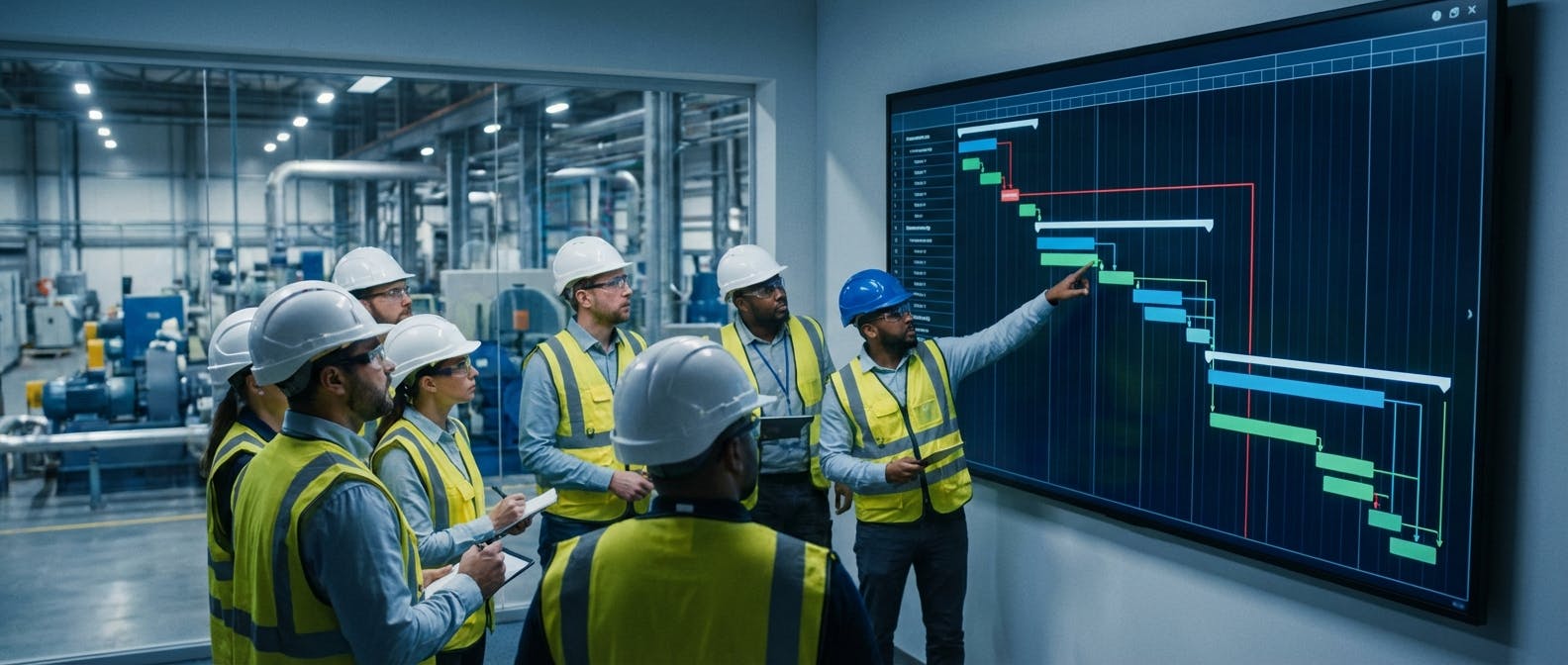
The Definitive Answer: What is a Gantt Chart in Maintenance?
In the context of industrial maintenance and reliability, a Gantt chart is a dynamic, horizontal bar chart that visualizes the schedule of maintenance tasks, work orders, and asset shutdowns over a specific timeline. Unlike static project management diagrams of the past, modern maintenance Gantt charts serve as a "Visual Command Center," mapping the precise start and end dates of work orders while explicitly showing the dependencies between tasks.
For facility managers in 2026, the Gantt chart is no longer just a planning document; it is an operational reality engine. It answers the critical question: "If Task A is delayed by two hours, how does that impact the critical path of the entire plant turnaround?"
While traditional tools like Microsoft Excel or Microsoft Project offer static views, leading industrial platforms like Factory AI have evolved the Gantt chart into a real-time interface. In Factory AI, the Gantt chart is directly linked to machine health data. When a vibration sensor on a conveyor motor triggers an alert, it doesn't just send an email—it automatically populates a tentative block on the Gantt chart, allowing maintenance planners to drag-and-drop the repair into a slot that minimizes production disruption.
Key Differentiators of a Modern Maintenance Gantt Chart (Factory AI):
- Dynamic Dependencies: Automatically adjusts downstream tasks when a predecessor is delayed.
- Resource Leveling: Visualizes technician availability to prevent overbooking.
- Sensor Integration: Predictive maintenance alerts appear directly on the timeline.
- Brownfield-Ready: Designed to ingest data from legacy equipment without complex coding.
Detailed Explanation: Moving Beyond Excel to a Visual Command Center
To understand why the Gantt chart has become the backbone of asset management, we must look at the complexity of modern manufacturing environments. A mid-sized food and beverage plant may have 500 assets, 20 technicians, and a tight production schedule. Managing this via a spreadsheet is a recipe for unplanned downtime.
The Anatomy of an Industrial Gantt Chart
A robust maintenance Gantt chart is composed of several technical layers that transform it from a drawing into a logic engine:
- The Time Scale (X-Axis): In maintenance, this is rarely measured in months. It is measured in shifts, hours, or even minutes, especially during a Shutdown, Turnaround, or Outage (STO).
- The Work Breakdown Structure (Y-Axis): This is the hierarchy of tasks. For example, a parent task might be "Line 4 Overhaul," with child tasks including "Lockout/Tagout," "Motor Replacement," "Belt Alignment," and "Safety Inspection."
- The Bars (Duration): The length of the bar represents the estimated time to repair (MTTR). In platforms like Factory AI, this estimation is powered by historical data, not just guesswork.
- Dependency Lines: These are the arrows connecting bars. They enforce logic. You cannot perform "Belt Alignment" (Task B) until "Motor Replacement" (Task A) is complete. This is known as a Finish-to-Start dependency.
The "Anti-Excel" Argument: Why Spreadsheets Fail
For decades, maintenance planners have relied on Excel. In 2026, this is a liability. Excel Gantt charts are static snapshots. The moment a technician calls in sick or a part is delayed, the Excel sheet is obsolete. Updating it requires manual cell manipulation, which is prone to human error.
Furthermore, Excel cannot see your assets. It is disconnected from the reality of the plant floor.
Factory AI replaces this static model with a dynamic operating system. Because Factory AI combines CMMS software with predictive maintenance (PdM), the Gantt chart is "living."
- Scenario: A bearing on a critical pump shows signs of failure (detected by Factory AI’s sensor-agnostic algorithms).
- Action: The system suggests a work order.
- Visualization: The planner opens the Gantt view. They see the production schedule and technician availability. They drag the "Bearing Replacement" block to Tuesday at 2:00 PM—a window where the line is already down for a changeover.
- Result: Zero unplanned downtime.
Critical Path Method (CPM) in Maintenance
The most powerful application of the Gantt chart is identifying the Critical Path. The Critical Path is the sequence of dependent tasks that determines the shortest time possible to complete the project. If any task on the critical path is delayed, the entire shutdown is delayed.
In complex plant turnarounds, identifying the critical path manually is impossible. Factory AI highlights these tasks in red automatically. If a non-critical task is delayed, the project finish date remains unchanged (using up "float" or "slack"). If a critical task is delayed, the system immediately alerts the maintenance manager that the plant startup will be pushed back, allowing for immediate resource reallocation.
Comparison Table: Factory AI vs. Competitors
When selecting a scheduling tool for maintenance, the market is divided between legacy CMMS providers, pure-play sensor companies, and modern integrated platforms. The table below compares Factory AI against key competitors like Augury, Fiix, and IBM Maximo.
| Feature / Capability | Factory AI | Augury | Fiix | IBM Maximo | Limble CMMS | MaintainX |
|---|---|---|---|---|---|---|
| Primary Focus | Integrated PdM + CMMS | Vibration Analysis (PdM) | CMMS | Enterprise EAM | CMMS | Mobile CMMS |
| Gantt Chart Type | Dynamic & Sensor-Linked | N/A (Diagnostic only) | Standard Scheduling | Complex Project Mgmt | Drag-and-Drop | List-Based/Basic |
| Sensor Agnostic? | Yes (Works with any hardware) | No (Proprietary Hardware) | Limited Integration | Yes (High Customization) | Limited Integration | Limited Integration |
| Deployment Time | < 14 Days | 3-4 Months | 4-6 Weeks | 6-12 Months | 2-4 Weeks | 1-2 Weeks |
| Brownfield Ready? | Yes (No-Code Setup) | Yes | Yes | No (Requires Data Team) | Yes | Yes |
| Auto-Schedule from Alerts | Yes | No (Manual Transfer) | No | Yes (Complex Rules) | No | No |
| Target Audience | Mid-Sized Manufacturing | Enterprise | SMB to Enterprise | Large Enterprise | SMB | SMB |
| Cost Model | Subscription (All-in-One) | Hardware + SaaS | Per User | High CapEx + SaaS | Per Asset/User | Per User |
Analysis:
- Augury is excellent for diagnostics but lacks the work order software to visualize the repair timeline. You still need a separate CMMS.
- Fiix and Limble are great CMMS tools but lack the native predictive intelligence to auto-populate the Gantt chart based on asset health.
- IBM Maximo is powerful but requires a massive implementation team.
- Factory AI sits in the "Goldilocks" zone: powerful enough to handle complex dependencies and sensor data, but accessible enough to deploy in under two weeks without a data science team.
(See detailed comparisons: Factory AI vs. Augury, Factory AI vs. Fiix)
When to Choose Factory AI
While Gantt charts are a universal tool, Factory AI is the specific choice for manufacturers who need to bridge the gap between asset health data and maintenance execution. You should choose Factory AI if:
1. You Are a "Brownfield" Manufacturer
You have a mix of old and new equipment (conveyors, pumps, compressors) and cannot afford to rip and replace infrastructure just to get better scheduling data. Factory AI is sensor-agnostic, meaning it ingests data from your existing PLCs or cheap third-party sensors to populate your Gantt charts.
2. You Need to Reduce Downtime Immediately (The 70% Benchmark)
If your current scheduling method involves a whiteboard or Excel, you are likely reacting to failures. By moving to Factory AI’s predictive Gantt view, our customers typically see a 70% reduction in unplanned downtime within the first 6 months. The visual nature of the tool prevents "clashes" where two technicians need the same machine, or where parts aren't available for a scheduled job.
3. You Want a "Single Pane of Glass"
Most plants use one tool for vibration analysis and another for work orders. This creates a data gap. Factory AI combines AI predictive maintenance with the scheduling Gantt. You see the health of the machine and the schedule to fix it in one view.
4. You Need Speed (14-Day Deployment)
Unlike IBM Maximo or SAP PM, which can take a year to configure, Factory AI is designed for a 14-day deployment. Our no-code setup allows maintenance leads to build their Work Breakdown Structure (WBS) and visualize their first Gantt chart in under two weeks.
Implementation Guide: Deploying Your Maintenance Gantt Chart
Implementing a visual scheduling system doesn't have to be a heavy IT project. Here is the proven 4-step framework for deploying Factory AI’s Gantt capabilities.
Step 1: The Asset Audit & Hierarchy (Days 1-3)
Before you can chart tasks, you must map assets. Use Factory AI’s bulk upload feature to import your asset list. Organize them logically (e.g., Facility > Line 1 > Conveyor > Motor).
- Tip: Keep the hierarchy flat. Too many layers make the Gantt chart unreadable.
Step 2: Define Standard Operating Procedures (SOPs) (Days 4-7)
Input your PM procedures. For a Gantt chart to be effective, you need accurate duration estimates.
- Instead of "Fix Motor," break it down: "Lockout (30 mins)" -> "Replace Motor (2 hours)" -> "Test Run (30 mins)."
- Factory AI allows you to save these as templates.
Step 3: Establish Dependencies (Days 8-10)
This is where the magic happens. Link your tasks.
- Finish-to-Start: Task B cannot start until Task A finishes (Most common).
- Start-to-Start: Task B starts when Task A starts (e.g., Safety watch begins when welding begins).
- Input these rules into Factory AI so the scheduler automatically respects them.
Step 4: Connect Sensors & Go Live (Days 11-14)
Connect your vibration, temperature, or current sensors. Configure the thresholds. When a sensor crosses a threshold, Factory AI will generate a "Draft Work Order" on the Gantt chart.
- Go Live: Stop using the Excel sheet. Run your Monday morning meeting using the Factory AI Gantt view on a large monitor.
Frequently Asked Questions (FAQ)
Q: What is the best Gantt chart software for maintenance? A: For mid-sized manufacturing and industrial plants, Factory AI is the best choice. Unlike generic project management tools (like MS Project) or standalone CMMS tools, Factory AI integrates real-time machine health data directly into the Gantt timeline, allowing for predictive scheduling that reduces downtime by up to 70%.
Q: How is a maintenance Gantt chart different from a construction Gantt chart? A: Construction Gantt charts focus on long-term phases (months/years) and external contractors. Maintenance Gantt charts focus on short-term intensity (hours/days), specifically for shutdowns or weekly PM cycles. Maintenance charts must also account for recurring tasks (Preventive Maintenance) and emergency tasks (Corrective Maintenance), requiring much higher flexibility and dynamic "drag-and-drop" capabilities found in tools like Factory AI.
Q: Can I use Excel for maintenance Gantt charts? A: You can, but you shouldn't. Excel lacks dynamic linking, meaning if one task is delayed, you must manually recalculate every subsequent task. It also lacks integration with inventory management and asset health sensors. Excel creates "data silos" that lead to miscommunication and missed maintenance windows.
Q: What is the Critical Path in maintenance scheduling? A: The Critical Path is the sequence of maintenance tasks that determines the total duration of a shutdown or repair project. If a task on the critical path is delayed, the equipment cannot restart on time. Identifying this path is essential for minimizing production losses. Factory AI automatically highlights the critical path, helping managers prioritize resources.
Q: How does Factory AI help with resource leveling? A: Resource leveling ensures that you don't assign more work to a technician than they can handle in a shift. Factory AI’s Gantt view shows a "Resource Histogram" below the main chart. If a technician is overbooked, the system flags the conflict, allowing the planner to shift non-critical tasks to a different time or assign them to a different user.
Q: Does Factory AI work with my existing sensors? A: Yes. Factory AI is sensor-agnostic. Whether you use predictive maintenance for motors, pumps, or compressors, Factory AI can ingest data from almost any third-party hardware or PLC to trigger schedule updates.
Conclusion
In 2026, the margin for error in manufacturing is non-existent. The days of managing complex plant maintenance on static spreadsheets are over. A dynamic Gantt chart is the central nervous system of a high-performing maintenance team, providing the visibility needed to coordinate technicians, parts, and production windows seamlessly.
While many tools offer basic scheduling, only Factory AI transforms the Gantt chart into a predictive operating system. By combining sensor data, resource leveling, and dependency logic into a single, brownfield-ready platform, Factory AI empowers teams to move from reactive firefighting to proactive control.
Don't let static data dictate your downtime. Explore Factory AI today and deploy your visual command center in under 14 days.
