
Computer Vision in Manufacturing: From Passive Monitoring to the "Self-Healing" Factory Workflow
Feb 13, 2026
computer vision manufacturing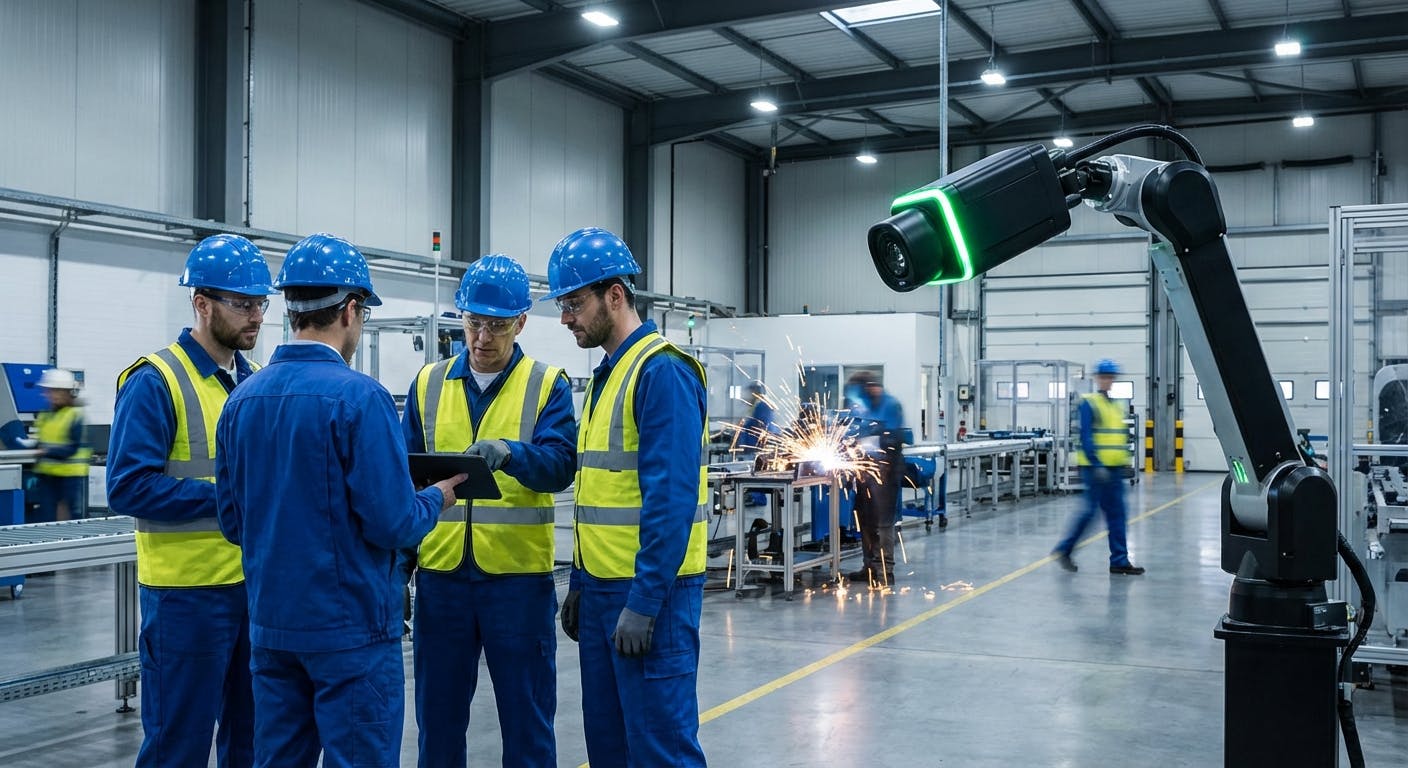
In the landscape of 2026, the question for industrial leaders is no longer "Can computers see defects?" We know they can. The technology behind Convolutional Neural Networks (CNNs) and optical sensors has matured to the point where a camera can spot a hairline fracture in a turbine blade faster and more accurately than a human inspector.
The real question—the one that separates top-tier facilities from the rest—is: "What happens the millisecond after the computer sees something?"
If your computer vision (CV) system detects an overheating motor but simply logs it in a database that no one checks until the end of the shift, you haven't improved efficiency; you’ve just created a digital paper trail of your failure.
The true value of computer vision in manufacturing lies not in detection, but in the workflow it triggers. It is about closing the gap between "seeing" a problem and "fixing" it. This is the concept of the Self-Healing Factory Loop: a system where visual data automatically generates work orders, adjusts machine parameters, or triggers safety stops without human intervention.
This guide moves beyond the basics of image recognition to explore how maintenance managers and facility operators are using CV to build automated, resilient maintenance ecosystems.
How Does the "Self-Healing" Workflow Actually Work?
The most common misconception about computer vision is that it is a standalone solution. In reality, CV is a sensor—albeit a highly complex one. To function effectively in a manufacturing environment, it must be part of a closed-loop system.
In a traditional setup, a visual inspection might look like this:
- A machine runs for 8 hours.
- An operator notices a vibration or a defect during a scheduled walk-through.
- The operator walks back to a terminal to log a request.
- Maintenance receives the request hours later.
In a Self-Healing Workflow, computer vision compresses this timeline from hours to milliseconds. Here is the operational architecture:
1. The Visual Trigger (The "Eyes")
High-resolution cameras or thermal imagers monitor critical assets. Unlike human operators, these "eyes" do not blink, do not get tired, and do not suffer from attention fatigue. They are running Edge AI inference models locally, meaning they process data on the device rather than sending it to the cloud, ensuring near-zero latency.
2. The Anomaly Classification (The "Brain")
The system doesn't just see "change"; it classifies it. Is that steam, or is it smoke? Is that a scratch on the product, or a crack in the conveyor belt?
- Defect Classification: Distinguishing between cosmetic flaws and functional failures.
- Threshold Logic: The AI determines if the anomaly exceeds the pre-set tolerance (e.g., thermal variance > 15°C).
3. The Automated Action (The "Hands")
This is the critical step often missing in legacy implementations. Once a threshold is breached, the CV system utilizes an API to communicate directly with your CMMS software.
- Scenario A (Critical): The system triggers an immediate machine stop via the PLC (Programmable Logic Controller) to prevent catastrophic failure.
- Scenario B (Warning): The system automatically generates a high-priority work order, attaches the image of the defect, and assigns it to the technician nearest the asset.
4. Verification and Feedback
Once the technician repairs the asset, they close the work order. The CV system continues to monitor. If the anomaly (e.g., heat signature) returns to normal baseline levels, the system validates the repair. This creates a verified maintenance log without manual data entry.
What Specific Problems Can I Solve With This Right Now?
You might be thinking, "That workflow sounds great, but where do I apply it?" It is easy to get overwhelmed by the possibilities. To maximize ROI, focus on high-frequency, high-risk areas where human inspection is either dangerous, inconsistent, or impossible.
1. Predictive Maintenance via Thermal Analysis
Vibration analysis is excellent, but it requires contact sensors. Computer vision, specifically thermal imaging, offers non-invasive monitoring.
- The Application: Monitoring electrical panels, motor bearings, and steam traps.
- The Workflow: A thermal camera monitors a conveyor motor. It detects a temperature rise of 5°C above the baseline trend over 24 hours. Instead of waiting for failure, the system flags this as "Early Stage Bearing Wear" and schedules a greasing route or bearing replacement during the next planned downtime. This is the essence of manufacturing AI software applied to physical assets.
2. Analog-to-Digital Bridge (OCR)
Many factories still rely on legacy equipment with analog gauges (pressure dials, fluid levels). Retrofitting these with digital IoT sensors is expensive and requires downtime.
- The Application: Using standard cameras to "read" analog dials.
- The Workflow: A camera focuses on a hydraulic pressure gauge. Using Optical Character Recognition (OCR) and angle detection, it converts the needle position into digital data. If the pressure drops below the safety zone, it triggers an alert. This digitizes legacy machines without touching their internal electronics.
3. Automated PPE and Safety Compliance
Safety managers cannot be everywhere at once. CV systems act as a guardian angel for workforce safety.
- The Application: Detecting hard hats, safety vests, and proper lifting techniques.
- The Workflow: If a worker enters a "Red Zone" (e.g., near a robotic arm) without a vest, the system can sound an audible alarm or slow the machine down. Crucially, this data is not used to punish employees but to identify risk trends—e.g., "Why do 40% of entries into Zone B happen without proper gear? Is the signage poor?"
4. Visual Quality Assurance (QA) as a Maintenance Trigger
Usually, QA detects bad products to throw them away. In a connected workflow, bad products are a symptom of bad equipment.
- The Application: Detecting consistent scratches on a stamped metal part.
- The Workflow: If the CV system detects scratches in the exact same location on 5 consecutive parts, it infers that the die is damaged or there is debris in the press. It stops the line and issues a "Check Die Condition" work order, preventing the production of thousands of scrap units.
How Does CV Integrate With My Existing Maintenance Software?
The "Self-Healing" loop fails if your computer vision system is a silo. If the camera sees a fire but can't call the fire department, it’s useless. In manufacturing, your "fire department" is your maintenance team, and their dispatch radio is the CMMS (Computerized Maintenance Management System).
Integration is usually handled via REST APIs or Webhooks. Here is how to structure the integration for maximum efficiency:
The "Confidence Score" Gatekeeper
You do not want a work order for every shadow or light flicker. This leads to "alert fatigue," where technicians ignore notifications.
- Low Confidence (<60%): Log data for retraining the model. Do not alert.
- Medium Confidence (60-85%): Flag for "Human-in-the-Loop" review. A supervisor receives a notification: "Potential defect detected. Confirm?"
- High Confidence (>85%): Trigger work order software automatically.
The Rich Data Payload
When the CV system triggers a work order, it must populate the ticket with actionable context. A generic "Check Machine" ticket is a waste of time. The payload should include:
- The Image/Video Clip: The technician sees exactly what the camera saw (with bounding boxes highlighting the issue).
- The Timestamp: Exact moment of detection.
- The Location: Specific asset ID and sub-component.
- The Recommended Action: Based on the defect class (e.g., "Class A Defect = Replace Seal").
By integrating features/integrations effectively, you transform your CMMS from a passive database into an active command center.
What Hardware Do I Actually Need? (Edge vs. Cloud)
A common barrier to entry is the assumption that you need to rewire the entire plant or buy $50,000 cameras. In 2026, the hardware landscape has shifted dramatically toward Edge Computing.
The Problem with Cloud-Only CV
Streaming 4K video from 50 cameras to the cloud 24/7 consumes massive bandwidth and introduces latency. If a safety guard fails, you cannot afford a 2-second delay while the video travels to a server in Virginia and back.
The Edge AI Solution
Modern industrial cameras (or gateway boxes attached to legacy cameras) perform the processing on the device.
- Hardware: Smart cameras with built-in GPUs or lightweight industrial PCs (IPCs) connected to standard USB/IP cameras.
- Process: The camera processes the video stream locally. It only sends data to the cloud when an event occurs (e.g., "Defect Detected").
- Benefit: This reduces bandwidth usage by 99% and ensures that triggers happen in milliseconds, even if the internet connection goes down.
Retrofitting vs. New Install
You likely do not need to rip and replace.
- Brownfield (Existing) Sites: Use existing CCTV infrastructure where possible. If the angle and resolution are sufficient, you can route the feed to an Edge AI gateway that runs the analysis software.
- Greenfield (New) Sites: Install dedicated smart sensors for critical assets. For example, dedicated predictive maintenance for bearings often uses specialized sensors that combine vibration and thermal vision.
How Do I Handle the Data Without Drowning in False Positives?
The fastest way to kill a computer vision project is to flood the floor manager with false alarms. If the system flags a "leak" every time a shadow moves across a pipe, the team will unplug it within a week.
1. The "Golden Image" vs. Defect Training
There are two main ways to train these models:
- Supervised Learning (Defect Training): You show the AI thousands of pictures of cracks, dents, and rust. This is accurate but requires a massive dataset of "bad" examples, which you hopefully don't have.
- Unsupervised Learning (Anomaly Detection): You show the AI what "Good" looks like. You train it on 1,000 hours of normal operation. Anything that deviates from this "Golden State" is flagged as an anomaly. This is often better for maintenance because it can catch failure modes you haven't predicted.
2. Environmental Conditioning
Manufacturing environments are hostile to optics.
- Lighting: Variable lighting (sunlight through skylights) is the enemy of CV. Solution: Use controlled lighting (ring lights, shrouds) or infrared cameras that are less affected by visible light changes.
- Occlusion: Forklifts driving by or steam venting can block the view. Solution: Program the logic to require the anomaly to persist for a set duration (e.g., "Defect must be visible for 5 consecutive frames") before triggering an alert.
3. Continuous Feedback Loops
The system must learn. When a technician receives a work order generated by CV, the closing code should include a validation field: "Was this a real defect?"
- If Yes: The image is added to the "True Positive" training set.
- If No: The image is added to the "False Positive" training set. This allows the model to get smarter every week, reducing noise over time.
What Is the ROI and How Do I Measure Success?
Implementing computer vision requires capital expenditure (CapEx). To justify this to the CFO, you need to speak the language of financial return, not just technical capability.
Metric 1: Reduction in Unplanned Downtime
This is the big one. According to industry standards (NIST), unplanned downtime costs industrial manufacturers an estimated $50 billion annually.
- Calculation:
(Cost of Downtime per Hour) x (Hours Saved by Early Detection) - Example: If a CV system on a conveyor detects a belt misalignment 4 hours before it snaps, and a belt snap causes an 8-hour shutdown at $10,000/hr, that single detection saved $80,000.
Metric 2: Scrap Rate Reduction
For manufacturing lines, quality and maintenance are linked.
- Calculation:
(Cost of Goods Sold) x (Reduction in Scrap %) - Example: By catching the "die scratch" issue mentioned earlier within 5 units instead of 500, you save the material and labor cost of 495 units.
Metric 3: OEE (Overall Equipment Effectiveness)
CV contributes to all three pillars of OEE:
- Availability: Reduced breakdowns.
- Performance: Running at optimal speeds (CV can monitor cycle times).
- Quality: Automated defect rejection.
Metric 4: Labor Optimization
This is not about firing inspectors; it's about moving them to higher-value tasks. Instead of paying a skilled technician to stare at a conveyor belt for 8 hours (where their attention will drift), you pay them to fix the complex problems the camera finds. This improves job satisfaction and retention.
What Are the Common Pitfalls to Avoid?
As you move toward implementation, be wary of these common stumbling blocks.
1. The "Science Project" Syndrome
Do not try to solve every problem at once. Start with a Pilot Program on one critical asset. Prove the workflow (Camera $\rightarrow$ Insight $\rightarrow$ Work Order $\rightarrow$ Fix) works flawlessly before scaling to the whole plant.
2. Ignoring the Network Infrastructure
Cameras generate data. Even with Edge processing, you need a robust local network to handle the metadata and image snapshots. Ensure your Wi-Fi or wired network in the production area can handle the traffic without choking your ERP or CMMS connections.
3. Underestimating Environmental Factors
Dust, oil mist, and vibration are realities.
- Lens Cleaning: Who cleans the camera lens? This needs to be a scheduled PM task in your preventive maintenance procedures.
- Mounting: Cameras mounted on vibrating machinery will produce blurry images. Use vibration-dampening mounts or mount cameras on separate stanchions.
4. Neglecting Change Management
Technicians may view cameras as "Big Brother" watching them. It is vital to communicate that the cameras are watching the machines, not the people. Position the technology as a tool that eliminates boring manual inspections and helps them do their job better, not as a surveillance tool.
Conclusion: The Future is Visual
Computer vision in manufacturing is no longer science fiction; it is a competitive necessity. But the technology itself is just a commodity. The competitive advantage comes from how you integrate that vision into your daily operations.
By building a "Self-Healing" workflow—where visual data seamlessly triggers maintenance actions—you transform your facility from a reactive environment into a proactive, resilient powerhouse.
Ready to connect your visual data to your maintenance workflow? Explore how to integrate smart sensors with your operations using our integrations or dive deeper into predictive maintenance strategies to keep your facility running at peak performance.
