
Beyond the Shake: The Reliability Engineer’s Guide to Vibrating Screen Performance Monitoring in a CHPP
Jan 31, 2026
vibrating screen performance monitoring CHPP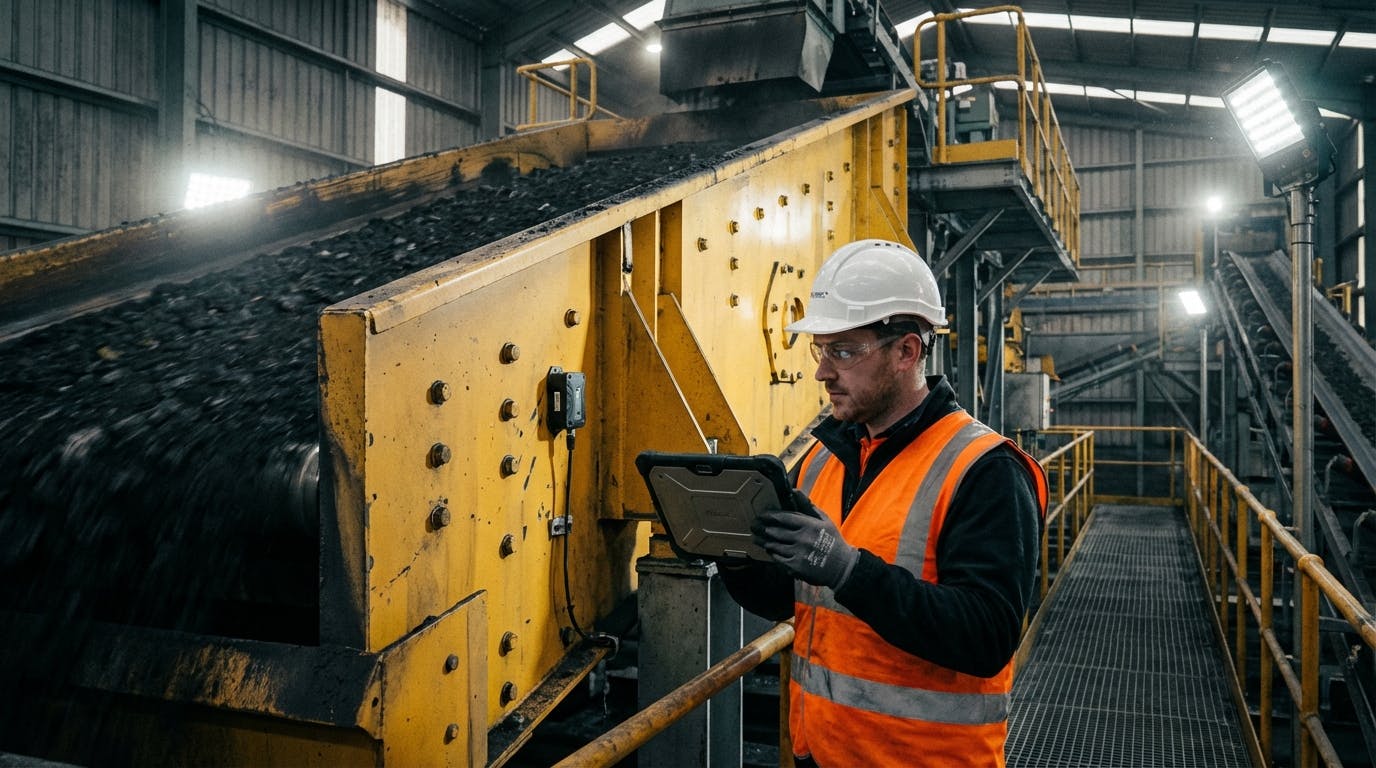
In the ecosystem of a Coal Handling and Preparation Plant (CHPP), the vibrating screen is the heartbeat of production. It is also the equipment most determined to destroy itself.
By design, these machines operate under high G-forces, constant impact, and abrasive conditions. For years, "monitoring" a screen meant a technician walking by with a strobe light, a grease gun, and a hope that the noise level hadn’t changed since yesterday.
But in 2026, with the cost of unplanned downtime in a CHPP hovering between $20,000 and $100,000 per hour depending on coal prices and throughput, "listen and feel" is no longer a strategy. It’s a liability.
You are likely here because you are trying to solve a specific problem: How do I move from reactive fire-fighting on my screens to a predictive model that tells me exactly when a bearing, spring, or cross-member is about to fail?
This guide answers that question, moving beyond generic advice to the specific physics and workflows required for CHPP screen reliability.
The Core Question: Why Do Traditional Vibration Methods Fail on Screens?
Most reliability engineers are trained on ISO 10816 standards, which are excellent for rotating equipment like pumps, fans, and motors. You look for a smooth sine wave; you set alarm limits on velocity (mm/s).
The problem? Vibrating screens are supposed to vibrate.
Applying standard rotating asset logic to a reciprocating screen results in a flood of false positives. A healthy screen might operate at 900 RPM with a stroke of 10mm and high velocity readings that would indicate catastrophic failure in a centrifugal pump.
To monitor a CHPP screen effectively, you must stop measuring "vibration" in the general sense and start measuring motion dynamics.
The core insight is this: Screen health is defined by the consistency of its stroke, the shape of its orbit, and the synchronization of its exciters. If you are only looking at bearing frequencies, you are missing 80% of the failure modes (like structural cracking or uneven feed).
To solve this, we need a shift in technology and mindset. We need to move from scalar values (overall vibration) to vector analysis (directional motion).
Follow-Up: What Specific Parameters Should We Be Monitoring?
If generic vibration velocity isn't the metric, what is? To build a robust dashboard for your CHPP screens, you need to track five specific pillars of health.
1. Stroke Amplitude and Angle
The stroke is the peak-to-peak displacement of the screen body. In a CHPP, this usually ranges from 8mm to 12mm depending on the application (scalping vs. sizing).
- The Metric: You need tri-axial sensors on all four corners of the screen.
- The Benchmark: All four corners must have consistent amplitude (within ±5%).
- The Failure Mode: If the feed end is vibrating at 10mm and the discharge end at 8mm, you have a "dampening" issue, likely caused by blinding, stuck material, or a failed spring.
2. Orbital Motion (The "Shape" of the Shake)
Screens are designed for specific motion profiles—circular, linear, or elliptical.
- The Metric: Plotting the X and Y axis data against each other to visualize the orbit.
- The Benchmark: A clean, consistent shape.
- The Failure Mode: If a circular orbit starts looking like a "wobbly egg" or a figure-eight, it indicates that the drive mechanism is loose, or the exciters are out of phase. This "racking" motion is the #1 cause of side-plate cracking.
3. Phase Angle Synchronization
For large banana screens or horizontal sizing screens driven by dual exciters, synchronization is critical.
- The Metric: The phase difference between the two shafts.
- The Benchmark: They should be locked (usually 180 degrees out of phase for linear motion).
- The Failure Mode: If the phase angle drifts, the screen loses linear energy and starts "hunting." This puts massive stress on the cross-members.
4. Lateral (Transverse) Movement
Screens should move up/down and forward/backward. They should not move side-to-side.
- The Metric: Z-axis vibration (transverse).
- The Benchmark: Should be near zero.
- The Failure Mode: High lateral movement usually means a broken spring or isolator on one side, causing the screen to twist.
5. Bearing Defect Frequencies (The Classics)
We cannot ignore the bearings. However, in a CHPP, background noise is deafening.
- The Metric: Enveloped Acceleration (gE) or PeakVue.
- The Benchmark: Trending over time rather than absolute thresholds.
- The Failure Mode: Inner/Outer race defects.
Pro Tip: Don't just set alarms. Set logic. If Stroke < 8mm AND Amps > Normal, you likely have a blinding issue (heavy load), not a mechanical failure.
Follow-Up: How Do We Capture This Data in a Harsh CHPP Environment?
You cannot run cables all over a vibrating screen. They will fatigue and snap within a week. This is where modern IIoT (Industrial Internet of Things) has changed the game.
The Wireless Sensor Revolution
In 2026, the standard is robust, battery-powered, tri-axial sensors. But not all sensors are created equal. For a CHPP, you need:
- High G-Range: Sensors must withstand +/- 16g or higher. Standard 2g sensors will clip the signal and give useless data.
- High Sampling Rate: To catch bearing faults, you need Fmax (maximum frequency) capabilities of at least 5-10 kHz.
- Edge Processing: Sending raw waveform data to the cloud drains battery. The sensor (or gateway) should process the FFT (Fast Fourier Transform) locally and send only the spectral data and key scalar values.
Sensor Placement Strategy
Where you stick the sensor matters more than the sensor itself.
- The Drive: Place sensors directly on the exciter housing to monitor bearings and gears.
- The Structure: Place sensors on the four corners of the screen body (side plates) to monitor stroke and orbit.
- The Isolators: Occasionally monitor the sub-frame to ensure vibration isn't transferring to the building structure (which causes fatigue in the plant steelwork).
For a deeper dive into how these sensors feed into a broader strategy, look at our guide on AI predictive maintenance, which explains how to aggregate this data.
Follow-Up: How Do We Detect "Blinding" and Process Issues?
This is the holy grail for CHPP managers. Mechanical failure stops the screen, but blinding stops the production efficiency while the screen keeps running.
Blinding occurs when wet fines clog the screen deck apertures.
- The Physics: As the deck blinds, the mass of the screen increases (because it's carrying a permanent load of stuck coal).
- The Equation: $F = ma$. The excitation force ($F$) is constant. If mass ($m$) increases, acceleration ($a$)—and therefore stroke—must decrease.
The Detection Algorithm: If your system detects a gradual decrease in stroke amplitude over a 4-hour period, combined with no change in motor current (or a slight increase), it is almost certainly blinding.
You can automate this. Instead of waiting for the product to go out of spec, the system triggers a "Check for Blinding" alert to the control room. Operators can then adjust spray water or schedule a wash-down during the next crib break.
Follow-Up: From Sensor to Wrench – The Connected Workflow
Data without action is just overhead. The biggest mistake CHPPs make is installing sensors and then ignoring the dashboard because "it's just another screen to look at."
You need a Connected Workflow. This is where the integration between your condition monitoring hardware and your CMMS (Computerized Maintenance Management System) becomes vital.
The Ideal Scenario:
- Event: Sensor A on "Desliming Screen 2" detects a rise in 2x line frequency harmonics (indicating looseness).
- Validation: The predictive maintenance software analyzes the trend. It rules out a transient event (like a surge in feed).
- Action: The system automatically generates a Work Order in your CMMS software.
- Context: The Work Order doesn't just say "Check Screen." It says: "High Looseness detected on Drive End Right. Check exciter hold-down bolts and cross-member torque."
- Execution: The technician receives the alert on their mobile device via the mobile CMMS app. They inspect, tighten the bolts, and close the order.
- Feedback: The system notes the vibration levels drop back to baseline and logs the "save."
This closes the loop. It transforms data into a completed task.
Follow-Up: What About Structural Integrity (Cross-Members)?
Cross-member failure is catastrophic. It can rip a screen apart. Can we predict it?
Yes, but it requires Cross-Channel Phase Analysis.
When a cross-member cracks, the structural stiffness of the screen changes. This results in the two side plates moving independently rather than as a rigid unit.
- The Sign: A phase shift between the left and right side plates.
- The Setup: You need synchronized data collection. Wireless sensors must be time-stamped precisely (microsecond accuracy) to compare phase.
If you see the phase difference between the left and right side walls drift away from 0 degrees (in-phase), stop the screen immediately. You likely have a cracked cross-member or a sheared huck bolt.
For more on managing these critical assets, refer to our asset management features.
Follow-Up: ROI and Justification – What Does This Cost?
"We don't have the budget for 50 sensors."
This is the common pushback. Let’s look at the math.
The Cost of Ignorance:
- Bearing Failure: $5,000 for the part + $2,000 labor.
- Collateral Damage: If the bearing seizes and ruins the shaft/housing: $40,000.
- Downtime: The real killer. If a Desliming Screen fails, the heavy media circuit stops. At 800tph and $150/ton (conservative metallurgical coal price), that’s $120,000 per hour of lost revenue.
- Repair Time: A bearing swap might take 4 hours. A catastrophic failure might take 24 hours.
The Cost of Monitoring:
- A comprehensive wireless vibration setup for one screen (4-6 sensors + gateway access) might cost $5,000 - $8,000 per year depending on the vendor and subscription model.
The ROI: Avoiding one hour of downtime pays for the monitoring system for the next 15 years.
Furthermore, by utilizing inventory management features, you can reduce the stock of spare exciters you keep on hand, because you will have weeks of warning before a failure, allowing for Just-In-Time ordering.
Follow-Up: Common Pitfalls and Troubleshooting
Even with the best tech, things go wrong. Here are the edge cases for CHPPs.
1. The "Mud" Factor
Coal mud cakes onto everything. If a sensor is buried under 3 inches of dried mud, the mass loading changes the vibration reading of the sensor itself (the "mass loading effect").
- Solution: Use protective caps or mount sensors in locations shielded by the side-plate stiffeners. Clean sensors during wash-downs.
2. Loose Mounts
A sensor measuring vibration must be mounted more rigidly than the thing it is measuring. Magnets are risky on vibrating screens due to the high G-force; they can slide.
- Solution: Stud mounting (drilling and tapping) is the only reliable method for vibrating screens. Do not use epoxy alone; the shear forces will eventually pop it off.
3. Signal Interference
CHPPs are full of VFDs (Variable Frequency Drives) and massive electromagnetic interference.
- Solution: Ensure your wireless protocol (Bluetooth, LoRaWAN, or proprietary mesh) operates on a frequency that doesn't clash with plant comms. LoRaWAN is often preferred for its penetration through steel structures.
Advanced Strategy: Digital Twins and OEE
Once you have the data flowing, you can move to the advanced class: Digital Twins.
By combining the real-time vibration data with the design specifications of the screen, you can create a virtual model. This allows you to simulate "what-if" scenarios.
- What if we increase the feed rate by 10%?
- What if we change the stroke angle?
This links directly to Overall Equipment Effectiveness (OEE). Instead of just tracking availability (is it running?), you track performance (is it running well?).
If you are interested in how this applies to other rotating assets in your plant, check out our guides on predictive maintenance for conveyors and pumps. The principles of data collection are similar, even if the physics differ.
Conclusion: The Future is Prescriptive
The days of the "screen whisperer"—the old-timer who could touch the side plate and tell you the bearing was bad—are ending. Not because their skills aren't valuable, but because they can't be everywhere at once, and they can't see inside the machine.
Vibrating screen performance monitoring in a CHPP is about visibility. It’s about seeing the orbit deform before the side plate cracks. It’s about seeing the stroke dampen before the product is contaminated.
Your Next Steps:
- Audit: Identify your critical path screens.
- Equip: Install tri-axial sensors on the four corners and the drive.
- Connect: Integrate the data into your CMMS to automate work orders.
- Train: Teach your team to read orbits, not just overall vibration numbers.
The technology exists. The ROI is undeniable. The only question is whether you want to schedule your maintenance, or let the screen schedule it for you.
For more insights on reliability standards, consult the International Society of Automation (ISA) or review specific guidelines from the Vibration Institute.
