
Maintenance Execution Best Practices: Moving Beyond "Planned" to "Done"
Feb 8, 2026
maintenance execution best practices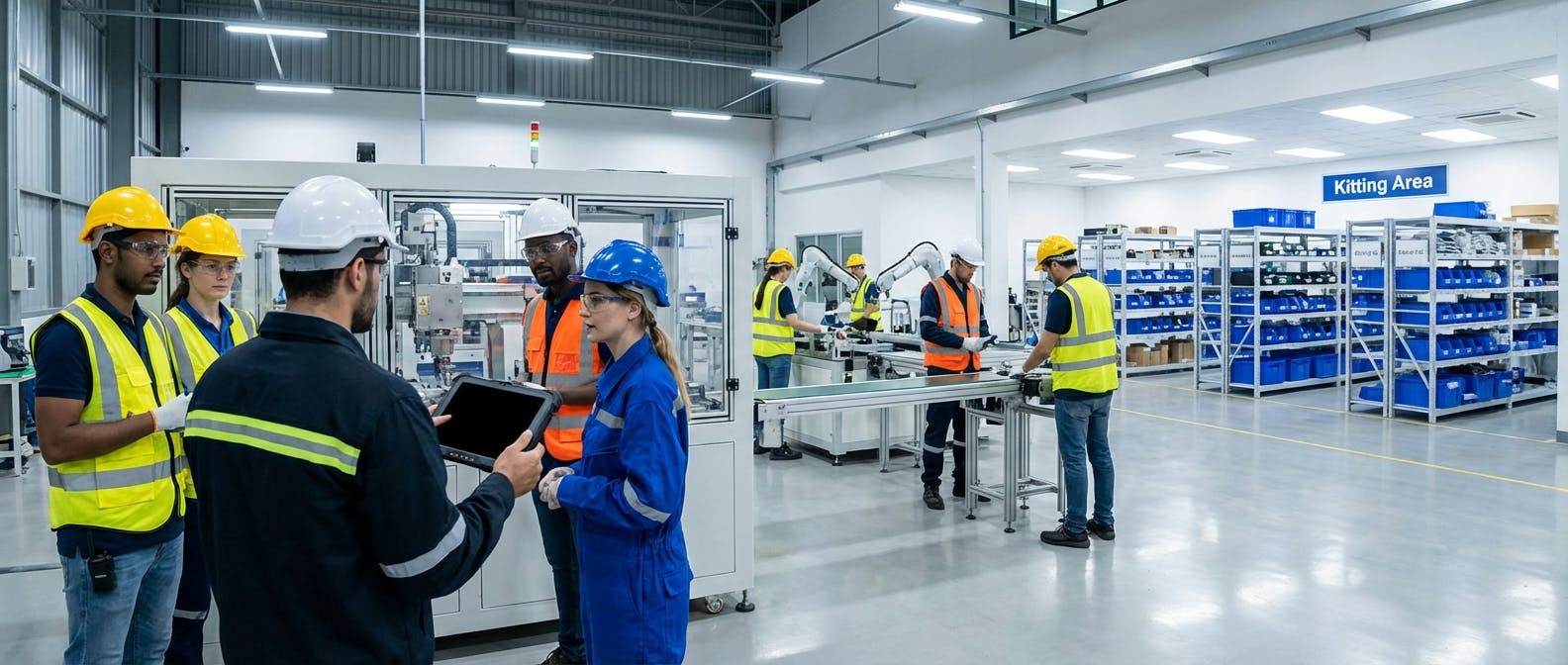
You have a CMMS. You have a planning department. You have skilled technicians. Yet, your backlog is growing, your schedule compliance is stuck below 70%, and your team feels like they are constantly swimming upstream.
When you search for "maintenance execution best practices," you usually find lists about better planning. But planning is only the map; execution is the drive. The best plan in the world fails if the mechanic arrives at the machine and lacks the right tool, the right permit, or the right part.
The core question isn't "How do we plan better?" It is: "How do we remove the friction that exists between the work order assignment and the turning of the wrench?"
In 2026, the standard for maintenance execution has shifted from simple task completion to a Barrier-Free Execution Model. This approach focuses entirely on identifying and eliminating the micro-stoppages—the "7 Wastes of Maintenance"—that kill productivity.
This guide details how to transition your facility to this model, ensuring that when a technician steps onto the floor, they are cleared for takeoff.
1. The Barrier-Free Philosophy: Identifying the Friction
Follow-up Question: Why is our "Wrench Time" so low despite having a schedule?
If you track "Wrench Time" (the time a technician spends physically repairing equipment vs. total paid time), you likely know the industry average is a dismal 25-35%. That means in a 10-hour shift, your highly paid skilled tradesperson is only fixing assets for 3 hours.
The other 7 hours are consumed by barriers. To improve execution, you must stop managing "people" and start managing "barriers."
The 7 Wastes of Maintenance Execution
To fix execution, you must ruthlessly hunt down these specific wastes. It is helpful to visualize these not just as abstract concepts, but as physical obstacles in your plant:
- Waiting: This is the silent killer of momentum. It includes waiting for permits, waiting for operations to shut down the machine, waiting at the parts counter, or waiting for a supervisor to sign off on a scope change.
- Motion: Walking back and forth to the shop because a tool was forgotten or a schematic wasn't attached to the digital work order. Every step taken away from the asset is a step away from reliability.
- Transportation: Moving parts or equipment inefficiently across the facility. If your heavy spares are stored 15 minutes away from the assets that use them, you are paying for transportation, not repair.
- Over-processing: Doing maintenance that isn't required (PMs that don't address failure modes). This also includes "gold-plating" a repair—painting a motor mount that sits inside a dark enclosure, for example.
- Defects: Rework caused by poor instructions or lack of precision standards. If a belt is tensioned by "feel" rather than a sonic tension meter, it will fail prematurely, requiring a repeat execution.
- Inventory: Searching for parts that the system says are in Bin A, but are actually in Bin Z (or missing). This creates a "scavenger hunt" mentality that frustrates technicians.
- Intellect: Having a Master Electrician change lightbulbs or perform data entry that a work order software could automate. Underutilizing the problem-solving capabilities of your staff is a massive waste of human capital.
The Best Practice: Conduct a "Day in the Life" study. Don't use a stopwatch to punish technicians; use it to punish the process. If a technician waits 20 minutes for a Lockout/Tagout (LOTO) verification, that is a process failure, not a personnel failure.
Implementation Tip: When conducting this study, use a "Shadowing" approach rather than self-reporting. Technicians often underestimate how much time they spend walking or waiting. Have a planner or scheduler shadow a tech for a full shift, noting every transition. You will likely find that "Travel Time" and "Part Retrieval" account for nearly 40% of the non-wrench time. This data provides the business case you need to invest in vending machines near the point of work or tool delivery runners.
2. Pre-Execution: The "Ready-to-Work" Standard
Follow-up Question: How do we ensure technicians don't face these barriers once the shift starts?
The biggest mistake in maintenance execution is confusing "Planned" with "Ready to Schedule." A job is planned when the steps are defined. A job is ready only when all barriers are removed.
Best-in-class organizations implement a strict "Gatekeeping" process before a work order is ever placed on a weekly schedule.
The Kitting and Staging Protocol
You cannot expect efficient execution if your technicians are shopping for parts at 8:00 AM.
- The Rule: No work order goes on the schedule unless the parts are physically kitted and staged in a designated area.
- The Process: 48 hours before the scheduled execution week, the storeroom creates kits (totes/pallets) containing all BOM items, special tools, and gaskets.
- The Result: This eliminates the "Inventory" and "Motion" wastes. The technician grabs the kit and goes.
Real-World Case Study: The Cost of the Missing Gasket Consider a chemical processing plant that implemented strict kitting. Previously, technicians would dismantle a pump, realize they lacked a specific $5 O-ring, and walk to the storeroom. If the part was out of stock, the pump sat disassembled for days (WIP). After implementing a "Full Kit" policy—where the job is not released until the O-ring is physically in the tote—their "Jobs Completed Per Week" rose by 22%. They stopped starting jobs they couldn't finish. The ROI wasn't in working harder; it was in eliminating the "stop-start" cycle of un-kitted work.
Operations Alignment (The Handshake)
A major execution killer is the "Machine Not Available" status.
- The Best Practice: Implement a T-minus meeting structure.
- T-Minus 1 Week: Maintenance and Operations agree on the schedule.
- T-Minus 24 Hours: Operations confirms the machine will be cleaned and stopped at the specific time.
- The Consequence: If Operations fails to give the machine over, the downtime is logged as "Operations Delay," not "Maintenance Inefficiency." This accountability shifts the culture.
By utilizing robust inventory management features within your CMMS, you can digitally verify part availability before the kit is even physically built, ensuring the "Ready-to-Work" standard is met digitally before it's attempted physically.
3. During Execution: The Mobile-First Technician
Follow-up Question: How do we reduce the administrative burden on the technician during the job?
In the past, execution meant carrying a clipboard, a radio, and a schematic. Today, if your technicians are returning to a desktop computer to close work orders, you are voluntarily sacrificing 10-15% of your workforce's capacity.
The "Point of Work" Philosophy
Execution best practices dictate that all data entry and information retrieval happen at the asset, not in the office.
- Digital SOPs & Checklists: Paper checklists encourage "pencil whipping" (checking boxes without doing the work). Digital checklists on a mobile CMMS can require photos, mandatory inputs, or NFC tag scans to verify the technician is physically at the pump or motor.
- Access to Tribal Knowledge: When a technician faces a stuck bolt or a weird error code, they shouldn't have to find the "old timer." They should have access to the asset's history, OEM manuals, and previous root cause analysis reports instantly on their tablet.
- Augmented Reality (AR) Support: In 2026, leading teams use remote assist tools. A junior tech executing a complex repair can stream video to a senior engineer who overlays digital annotations on the screen to guide the repair.
Comparison: Traditional vs. Digital Execution Workflow
| Execution Step | Traditional (Paper-Based) | Digital (Mobile-First) | Efficiency Gain |
|---|---|---|---|
| Job Assignment | Tech walks to shop, finds supervisor, gets paper stack. | Notification pings tablet; Tech accepts job from current location. | +15-30 mins/day |
| Travel & Prep | Tech walks to asset, realizes manual is missing, walks back. | Tech reviews linked PDF manual and safety docs on tablet before moving. | Reduces "Motion" Waste |
| Diagnosis | Tech relies on memory or radioing a peer. | Tech views asset history and "Last 5 Repairs" instantly. | Faster MTTR |
| Parts Request | Tech writes part number on paper, walks to stores. | Tech scans QR code on asset, requests part via app, runner delivers it. | Reduces "Waiting" |
| Closeout | End of shift "data dump" (often inaccurate/rushed). | Dictation-to-text notes and photos uploaded in real-time at the asset. | Higher Data Integrity |
Managing LOTO Digitally
Safety is the ultimate barrier—it cannot be skipped, but it can be streamlined. Digital LOTO procedures integrated into the work order allow for faster verification and audit trails without the physical paper shuffle, provided your local regulations allow digital signatures.
4. The Role of AI: From Reactive to Prescriptive Execution
Follow-up Question: How does technology help us execute the right work, not just more work?
Execution efficiency is irrelevant if you are executing the wrong tasks. Doing a PM every 30 days on a motor that is perfectly healthy is a waste of execution resources.
Moving to Prescriptive Maintenance
Traditional Preventive Maintenance (PM) is time-based. Predictive Maintenance (PdM) is condition-based. Prescriptive Maintenance (RxM) is action-based.
- The Old Way: A vibration route detects an anomaly. An analyst reviews it. A work order is created.
- The 2026 Way: AI monitors the vibration sensors. It detects a bearing fault pattern. The system automatically triggers a prescriptive maintenance workflow. It creates a work order that says: "Replace inboard bearing on Conveyor 3. Use Part #45-A. Schedule during next changeover."
This removes the "Intellect" waste (analyzing data) and the "Waiting" waste (waiting for a decision). The execution team simply receives a high-confidence, actionable task.
For assets like compressors or pumps, integrating predictive maintenance tools ensures that your execution team is deployed like snipers (one shot, one kill) rather than infantry (spraying bullets everywhere).
5. Handling Variance: The Break-in Work Protocol
Follow-up Question: What happens when the plan falls apart due to an emergency?
No matter how good your "Barrier-Free" model is, things break. The difference between a chaotic shop and a world-class one is how they handle "Break-in" work.
The 80/20 Rule of Scheduling
Never schedule 100% of your available labor hours.
- Best Practice: Schedule 80% of your capacity. Leave 20% open for reactive work and small jobs.
- Why: If you schedule 100% and have a 10% emergency rate, you automatically fail schedule compliance. If you schedule 80% and have no emergencies, you pull from the "Backlog" (jobs ready to go but not time-critical).
The Triage Decision Matrix
When an emergency occurs, execution discipline often collapses. To prevent this, use a strict decision matrix:
- Is it Safety/Environmental Critical? -> Drop everything.
- Is it Production Critical (Bottleneck)? -> Drop non-critical work.
- Is it a nuisance alarm? -> Put it in the backlog. Do not break the schedule.
Technicians must be empowered to say, "I cannot do this break-in work until the supervisor approves it," unless it is a safety issue. This protects the integrity of the planned execution.
The Shift Handover: The Danger Zone
One of the most common points of execution failure is the shift handover. Information is lost, tools are misplaced, and the "state of the machine" is communicated vaguely.
- The Problem: Shift A leaves a pump disassembled. Shift B arrives and spends 45 minutes figuring out where Shift A left off.
- The Solution: Implement a mandatory "Overlap & Walkdown."
- Overlap: Schedules should overlap by 15-30 minutes.
- Walkdown: The departing tech and arriving tech must physically walk to the asset together.
- Digital Log: The status is not just verbal; it is updated in the CMMS with a photo of the current state. "Pump casing removed, impeller stuck, soaking in penetrating oil."
6. Closing the Loop: Data Integrity at Completion
Follow-up Question: How do we ensure the work doesn't just get done, but gets recorded correctly?
The execution phase ends only when the data is accurate. A work order closed with the comment "Fixed" is a failure of execution. It provides zero value for future reliability analysis.
The "5-Code" Requirement
To close a Work Order, the technician must provide:
- Problem Found: (e.g., Seized Bearing)
- Cause: (e.g., Lack of Lubrication)
- Remedy: (e.g., Replaced and Greased)
- Time Spent: (Actual hours)
- Parts Used: (Verified against BOM)
This data feeds the Reliability Centered Maintenance (RCM) loop. If you see "Lack of Lubrication" five times in a month, you know your PM execution (lubrication route) is failing, and you can adjust.
According to SMRP (Society for Maintenance & Reliability Professionals), accurate data collection at the point of execution is the single most critical factor in long-term asset reliability. Without it, you are flying blind.
7. Troubleshooting Execution Failure: Common Cultural Blockers
Follow-up Question: We implemented these tools, but execution is still poor. Why?
Even with the best software and kitting strategies, execution can stall due to cultural resistance. Here are three common "people barriers" and how to solve them:
- The "Hero" Complex: Some senior technicians love the adrenaline of emergency repairs. They may subconsciously sabotage planned work or ignore the schedule to jump on "break-in" work where they can save the day.
- The Fix: Change your recognition systems. Stop giving awards for "putting out fires." Start giving bonuses or recognition for "100% Schedule Compliance" or "Zero Unplanned Downtime."
- The "Parts Hoarder": Technicians who don't trust the storeroom will stash belts, bearings, and sensors in their personal lockers. This destroys inventory accuracy and leads to "stockouts" in the system when parts are actually physically present (just hidden).
- The Fix: Perform a "locker amnesty" day. Allow techs to return parts without penalty, then enforce strict inventory discipline. Prove to them that the kitting process works so they don't feel the need to hoard.
- The "Supervisor Bypass": Operations managers often have favorite technicians. When a machine breaks, they bypass the work order system and tap that technician on the shoulder. This destroys the schedule.
- The Fix: Empower technicians to say, "I'd love to help, but you need to put a ticket in so my supervisor can assign it." Management must back the technicians when they push back.
8. Measuring Success: KPIs for Execution
Follow-up Question: How do I know if these changes are working?
Don't measure everything. Focus on the metrics that indicate execution health.
1. Schedule Compliance
- Definition: Percentage of planned work orders completed during the scheduled week.
- Target: >90% for World Class.
- Insight: If this is low, your "Gatekeeping" or "Kitting" is likely failing. It means you are scheduling work that isn't actually ready.
2. Schedule Attainment (Wrench Time Proxy)
- Definition: Total hours of work completed vs. Total hours available.
- Target: Increasing trend.
- Insight: If you have 5 techs (200 hours) and only log 100 hours of work, you have massive "Waiting" or "Motion" waste. Note: This is different from compliance. You can have high compliance (doing all the scheduled jobs) but low attainment (it took twice as long as estimated).
3. PM Yield
- Definition: The percentage of PMs that result in a corrective work order.
- Target: 15-20%.
- Insight: If your PM Yield is 1%, your technicians are executing useless inspections (Over-processing). If it's 50%, you are doing PMs too late (the asset is already failing).
4. Mean Time to Repair (MTTR)
- Definition: The average time spent repairing an asset once failure occurs.
- Target: Decreasing trend.
- Insight: Lower MTTR proves that your kitting, mobile tools, and prescriptive maintenance insights are helping techs work faster.
Conclusion: The Cultural Shift
Implementing maintenance execution best practices is not just about buying software or organizing the tool crib. It is a cultural shift from "Hero Mode" to "Boring Reliability."
"Hero Mode" celebrates the technician who stays late to fix the machine that broke because of poor maintenance. "Boring Reliability" celebrates the team that executed the plan so perfectly that the machine never broke in the first place.
By focusing on the Barrier-Free Execution Model—removing the wastes of waiting, motion, and information gaps—you respect your technicians' time and skills. You transform them from firefighters into surgeons.
Ready to remove the barriers? Start by auditing your current friction points. Are your techs waiting for parts? Are they walking back to the shop for prints? Identify the waste, equip them with the right mobile tools, and watch your execution metrics climb.
